Why the Wrong Delivery Frequency Causes Subscription Churn and How to Fix It
- Updated: August 27, 2026
Table of Contents
Your subscribers didn’t stop liking your product. They ran out of shelf space for it. Others finished everything ten days before the next box showed up.
When cancellations climb, pricing and quality take the blame first. Check your subscription delivery frequency before you touch either one. Because when the schedule drifts from how fast people actually use the product, canceling starts to look like the only fix.
The line to watch is 10% monthly churn. Past that on a physical product subscription, the cause is usually structural. That means the schedule, the offer itself, or failed payments, and no discount patches any of those.
You can fix the frequency problem this week. All it takes is some basic math, a smarter default setting, and enough flexibility that nobody needs the cancel button.
What Is Subscription Delivery Frequency? And Why It’s Not Billing Frequency
Subscription delivery frequency is how often a recurring order ships to a subscriber, whether that’s weekly, monthly, or every six weeks. When the interval doesn’t match how fast the customer uses the product, churn follows.
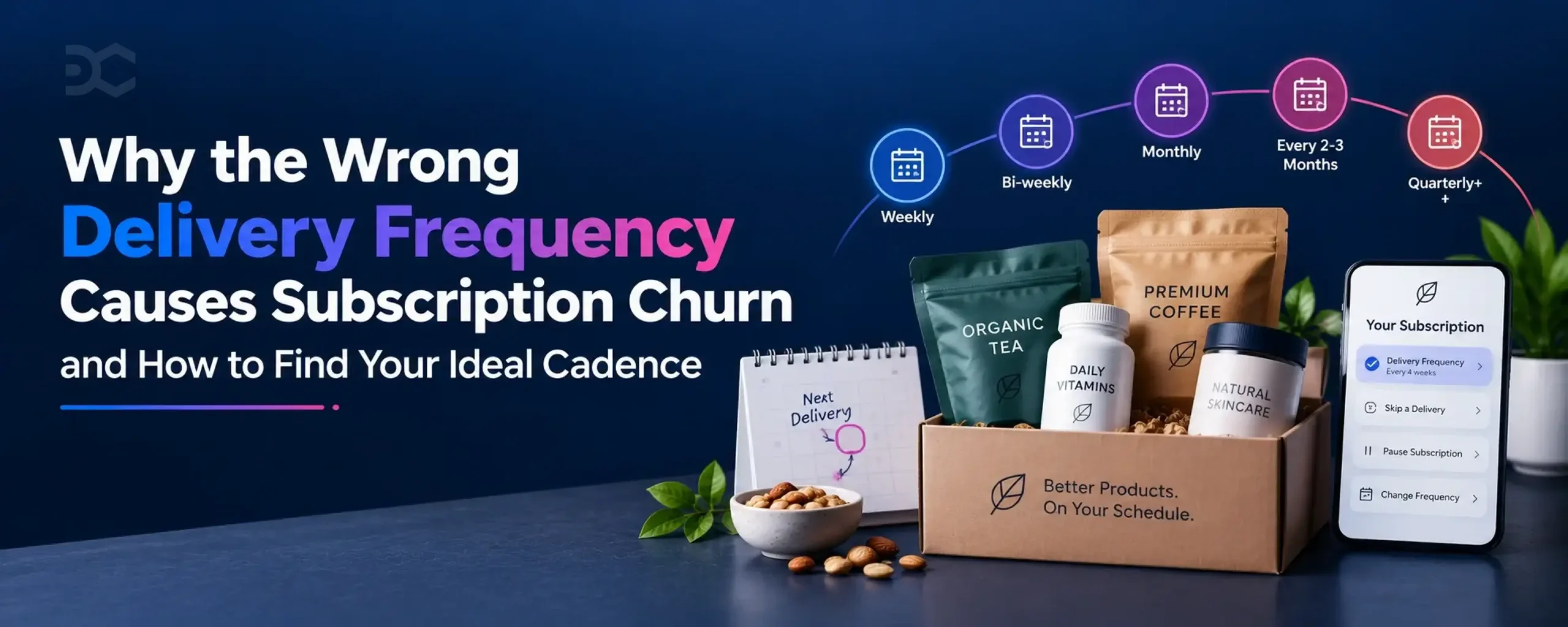
You’ll sometimes see the same setting called a subscription delivery schedule. Different label, same dial. Most stores land on one of four patterns.
Common delivery frequencies:
- Weekly or bi-weekly for fast consumables like coffee, fresh food, and daily personal care
- Monthly, the default for most subscription boxes, supplements, and household staples
- Every 2 to 3 months for slower-usage products such as skincare or grooming kits
- Quarterly or longer for bulk sizes and seasonal collections
Billing frequency is a different setting. It runs on the billing cycle, which decides when the card gets charged, not when the box ships. On a prepaid plan, a subscriber pays once for three months while deliveries still arrive every 30 days.
The gap trips up real subscribers too. Someone sees one quarterly charge, assumes one quarterly box, and emails support in a mild panic. Shopify’s selling plans treat shipping and billing as separate settings, so set each one deliberately.
Why care this much about one dropdown? Every household burns through product at its own pace, and your shipping interval is only a guess at it. When the guess misses in either direction, canceling becomes the only correction a subscriber has left, unless you hand them better options first.
The Two Ways the Wrong Frequency Kills Subscriptions
“I still have six unopened bags in the pantry.” Cancel surveys fill with lines like that one. Nobody’s complaining about the product, yet the wrong delivery frequency pushes them out anyway.
Over-Delivery: When Product Piles Up
This one hits your happiest customers first. Boxes arrive faster than anyone can use them, and product starts piling up week by week. Every unopened package sits there as a quiet reminder of money spent on nothing, until canceling starts to feel like the responsible move.
The pattern is easy to spot once you look. Skips start clustering, pauses stretch on without an end date, and “too much product” keeps landing in your exit surveys.
Notice what’s missing from those signals. There’s no quality complaint anywhere, only a household that can’t keep up with the schedule you chose for it.
Under-Delivery: When Subscribers Run Out
“We kept running out early, so I just started buying it at Target.” That one comes from the opposite cadence miss, and it drains revenue just as fast.
Product disappears days before the next box lands, so the subscriber covers the gap at the nearest store. Once that stopgap slots into the routine, your delivery turns into a redundant charge.
Different failure, different fingerprints. Watch for one-off orders squeezed between renewals and support tickets asking to move the next delivery up.
Put the two side by side and the pattern is hard to unsee. Both mismatches end on the same button, which is exactly what the diagram below shows.
Opposite causes, same cancel button. You can’t fix what you misdiagnose as pricing.
How to Calculate the Right Delivery Frequency for Your Product
Your ideal delivery frequency isn’t a guess. It’s an equation with two inputs you already know.
The first input is how much product goes into each order. The second is how much a typical customer uses per day. Divide one by the other and you get days of supply.
Days of supply = package size ÷ daily usageRound the result to the nearest interval your fulfillment can actually run. Nobody ships every 12 days, so 12 becomes 14. Grams, capsules, or servings all work, as long as both numbers use the same unit.
Take a 250g bag of coffee. A two-cup household grinds through about 20g a day, which comes out to roughly 12 days of supply. That points to a two-week cadence, not the monthly default most stores reach for.
Ship that same bag on a 30-day plan instead and your subscriber spends the last two weeks of every cycle buying coffee somewhere else. The card below runs the full coffee calculation step by step.
The same math clears monthly plans too. A 60-count supplement bottle at two capsules a day lasts exactly 30 days. There, the default earns its place.
Already have subscribers? Then skip the estimates and read your order history. The gap between a customer’s last delivery and their next one-time purchase of the same product is their true consumption rate, written in their own behavior.
Pull that gap for your top SKU across 50 or 100 subscribers and average it. If the number sits far from your current interval, you’ve found your churn source before touching a single survey.
That’s really all there is to choosing a delivery frequency. Measure consumption instead of assuming it.
One warning before you lock anything in. A single person and a family of four empty the same bag on very different clocks, so no interval fits every household. The math sets your default, and flexibility covers everyone the average misses.
Recommended Subscription Frequency by Product Category
Six percent monthly churn compounds to roughly half your subscriber base gone within a year. Where you land on that curve has a lot to do with what you sell, because every category burns product at its own speed.
The table below pairs each category with the interval that matches how people actually use the product.
| Category | Typical frequency | Why it works |
|---|---|---|
| Coffee | Every 2 to 4 weeks | Beans fade fast after roasting, so most coffee subscription plans stay short. |
| Meal kits | Weekly | A meal kit subscription follows the grocery run, and groceries reset weekly. |
| Pet food | Every 2 to 6 weeks | Bag size and pet weight decide how fast a pet food subscription empties the bowl. |
| Supplements | Every 30 days | Most bottles hold a 30-day count, which makes a supplement subscription the easiest schedule to predict. |
| Beauty and skincare | Every 6 to 12 weeks | A serum outlasts a coffee bag, so a skincare subscription runs on longer gaps. |
| Food and beverage boxes | Monthly | Discovery drives a food and beverage box, and monthly keeps the surprise ahead of the stockpile. |
Read down the middle column and a pattern splits in two. Coffee, pet food, and supplements are replenishment products, where running out sets the reorder clock. Boxes built on discovery work on a different engine entirely.
Churn benchmarks track the same divide. Replenishment programs usually hold monthly churn under 4 to 6%, while curated boxes sit around 10 to 15%. Nothing in that kind of box ever empties, so it has to re-earn its place in the budget every cycle.
That gap is an argument for more flexibility in curation, not less. When the product is a treat rather than a refill, the best frequency for a subscription box is monthly with an easy skip, never monthly locked in.
And if your product sits between rows, trust your own consumption math over any table. Averages built that column, but your customers didn’t sign up for an average.
Why Your Default Frequency Matters More Than You Think
Should your subscription default to weekly or monthly? Trick question. It should default to whatever your consumption math said, because the preselected option is the one most subscribers keep.
Subscribers treat a default as a recommendation. The interval already selected on the product page reads as the safe choice, and most never touch the dropdown again.
Product pages that preselect the subscription option convert 35 to 50% of new customers into subscribers. Pages defaulting to one-time purchase manage 10 to 20%. Same product, same price, and roughly triple the signups from one radio button.
That kind of pull cuts both ways. Point the default at an interval nobody can keep up with, and you scale the mismatch to every new subscriber who never opens that dropdown.
The tempting move is defaulting to your shortest interval, since more shipments per customer means more revenue on paper. Short-interval defaults look great in month one, then feed the same cliff where subscriptions drop off around 90 days. By the time those cancellations land, the ad budget that acquired them is already spent.
So set the default option to the consumption-matched interval from your math, even when a shorter one would sell more boxes this month. A default that matches real usage keeps renewals boring, and boring renewals are the whole business.
One default can’t fit every household, though. It covers your average subscriber, and everyone else needs room to move.
Flexibility Is Churn Insurance: Skip, Pause, Swap, and Frequency Changes
A rigid subscription writes its own cancellation list. One locked interval puts every household on the same clock, even though no two pantries empty at the same speed. Whoever the schedule misses has exactly one lever left, and it’s the worst one for you.
Flexible subscription options change the shape of that decision. Hand people four smaller levers and the big one gathers dust.
Start with the skip. A subscriber who can skip a delivery in ten seconds stays a subscriber, overstocked pantry and all. That’s the whole skip vs cancel trade, one shipment against every shipment after it.
A pause carries information. Someone pausing is telling you the timing is off, not that they’re done with you. Treat it as feedback on the schedule, because that’s exactly what it is.
Swap covers a different kind of fatigue. Letting subscribers swap products when a flavor wears out its welcome keeps the box interesting without touching the schedule at all.
The fourth save runs deepest. A frequency change fixes the actual mismatch instead of managing around it, so one dropdown adjustment can rescue a subscription for years.
Pause vs Cancel Subscription: What’s the Difference?
Pausing keeps a subscription and all its settings alive while billing and shipments stop temporarily. Canceling ends the subscription entirely, and restarting later means signing up from scratch.
That difference is worth real money. A paused subscriber comes back with one tap, address and preferences intact. Winning back a canceled one usually means paying acquisition costs twice, so surface pause anywhere the cancel button lives.
None of it counts if a change needs a support ticket. Set up your subscription customer portal first, then advertise the flexibility. The moment a self-serve change takes more effort than canceling, subscribers pick the shorter path.
4 Warning Signs Your Frequency Is Off
Picture a Tuesday morning dashboard. Revenue holds steady, fulfillment hums along, and skips on your best seller have quietly doubled since spring. A frequency mismatch rarely announces itself, so it hides inside numbers that each look harmless on their own.
Four signals separate a schedule problem from ordinary churn:
- A high skip rate pinned to specific SKUs or intervals – Scattered skips are just life happening. Skips stacking on one product or one interval mean the schedule is outrunning consumption.
- Pauses that cluster instead of scatter – Pause clusters stack at the same points of the subscription customer journey, usually a few days before a renewal. People hit the brakes right before the next box would deepen the pile.
- Exit surveys repeating the same two lines – “Too much product” and “haven’t used it yet” rank high among subscription cancellation reasons for physical goods, and both point at the schedule rather than the product.
- Support tickets asking you to hurry – Requests to move the next delivery up are the under-delivery tell, the mirror image of everything above.
Any one of these deserves a look. Two or more together are close to a diagnosis.
Numbers settle it faster than instinct. Run your last 30 days through the churn rate calculator below and see which side of 10% you land on.
Land above the line and match it against the four signs, because a cadence mismatch leaves these exact marks while pricing trouble leaves none of them. Whatever you find, the schedule is the cheapest suspect to clear first.
3 Moments to Prompt a Frequency Change
Who brings up the frequency change first, you or your subscriber? Most subscribers never go looking for how to change subscription frequency on Shopify until a mismatch already stings. Prompt at the right moments and that search never happens.
Three moments do most of the work.
- Right after checkout – Add one question to your post-purchase survey about household size or daily usage. Match the answer against your days-of-supply math and suggest the closest interval before the first box ships. That kills the most common mismatch on day one.
- Three days before each renewal – A short email asking “need more time before your next box?” with one-click skip and reschedule buttons catches over-delivery in the act. Every renewal someone adjusts instead of abandoning is a save you never see in a survey.
- Inside the cancel page – Make a frequency change the first offer in your cancellation flow, ahead of any discount. A discount pays someone to tolerate the wrong schedule for one more cycle. A new interval fixes the thing that pushed them to the button, and it costs you nothing off the margin.
Notice the order runs earliest to latest. The sooner a subscriber can change delivery frequency, the smaller the save has to be. By the cancel page you’re rescuing a relationship, but at checkout you’re just setting a dropdown.
Common Questions About Subscription Delivery Frequency
What is subscription delivery frequency (cadence)?
Subscription delivery frequency, also known as subscription cadence, is the interval at which a recurring order ships to a customer, like weekly, every two weeks, or monthly. You set it in your Shopify selling plans, separate from billing. When it runs faster or slower than real usage, cancellations follow.
How often should my subscription deliver?
A subscription should deliver as often as the customer finishes the product. Divide package size by daily usage to get days of supply, which puts coffee at every 2 to 4 weeks and most supplements at 30 days. Watch skip and cancel patterns after launch and adjust where they cluster.
Does changing delivery frequency reduce churn?
Yes, letting subscribers change their delivery frequency reduces churn in physical product subscriptions. It clears the two biggest cancellation triggers, product piling up and product running out between boxes. The save also comes at full margin, which a discount never does.
Can customers change their delivery frequency on Shopify?
Yes, customers can change their delivery frequency on Shopify when the store runs a subscription app with a self-serve customer portal. Subscribers pick a new interval from their account page and can also skip, pause, or swap products without contacting support.
What’s the best default frequency for a Shopify subscription?
The best default frequency for a Shopify subscription is the interval that matches how fast a typical customer uses the product, not the shortest one. Subscribers keep whatever the product page preselects, so a too-fast default multiplies one mismatch across every new signup. Let the days-of-supply math make the call.
Delivery frequency decides whether a renewal feels routine or feels like a bill. Run the numbers on your best-selling SKU before you touch discounts or ads. If the interval holds up against real consumption, your churn is coming from somewhere else.
Failed payments are the other silent churn driver. That one deserves its own playbook.
The schedule is the easy one. One dropdown, a bit of division, and a default that matches how people actually live with your product. Change it this week and the fix reaches every renewal after this one.
Most subscription churn doesn’t come from bad products. It comes from a schedule nobody can keep up with, and by the time the cancel surveys say “too much product,” the ad spend is already gone. Driftcharge is being built so Shopify brands can run frequency changes, skip, pause, and swap in one self-serve portal, so the right save is ready before the first mismatch shows up.

Ganesh Pawar


Join the waitlist now
Limited early access. Early joiners receive additional discounts on premium features.
Discover how