Gift Subscriptions on Shopify for the 2026 Holidays and How to Sell Them
- Updated: October 20, 2026
Table of Contents
A gift subscription on Shopify is a subscription one person pays for and another person receives. The buyer chooses the term, enters the recipient’s details and pays once. The recipient gets the deliveries, and at the end of the term decides whether to carry on. To sell one you need a subscription app with gifting built in, because Shopify’s own subscription setup has no way to separate the person paying from the person receiving.
This post explains how gift subscriptions work on Shopify, the three models you can sell and which one suits the holidays, what your app has to support, the setup steps, the 2026 dates that matter, and how to turn gift recipients into paying subscribers in January. No app is recommended here. The features are what matter, and they are listed so you can check any app against them.
Timing is tighter than it looks. In Shopify’s 2025 Global Holiday Retail Report, 26% of shoppers said they start holiday shopping by the end of September, and the first box of a gift subscription has to ship before the carrier deadlines in mid-December.
How gift subscriptions work on Shopify
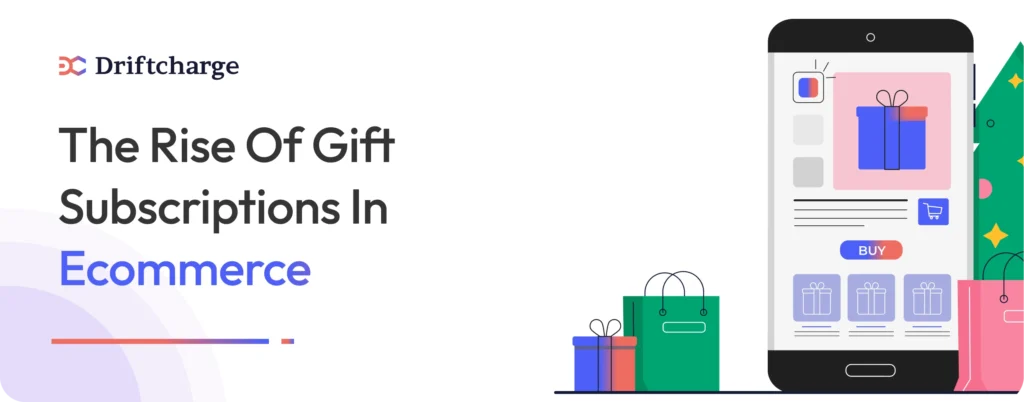
A normal subscription has one customer: the person who pays is the person who receives, and their saved payment method is charged on each recurring billing date. A gift subscription splits that customer in two. The sender pays and gets the receipts. The recipient gets the parcels, the shipping emails and, ideally, a way to manage deliveries without ever seeing a price.
Shopify handles subscriptions through apps. Setting up subscriptions starts with installing one, either Shopify’s own free app or a third-party app from the App Store. Shopify’s own subscription app covers subscribe and save plans that renew weekly, monthly or yearly, with skip, pause and cancel for the subscriber, but its documentation does not mention prepaid terms or gifting. For a gift subscription you need a third-party app that adds the recipient fields, the fixed term and the emails to both people.
Two more things to know before you build one. Subscriptions need a payment gateway that supports recurring charges, so check your Shopify subscription payment gateway before launch. And a product sold only as a subscription can be sold on the Online Store channel only, so give the gift product a one-time purchase option if you also want it in the Shop app or on social channels.
Three gift subscription models and when to use each
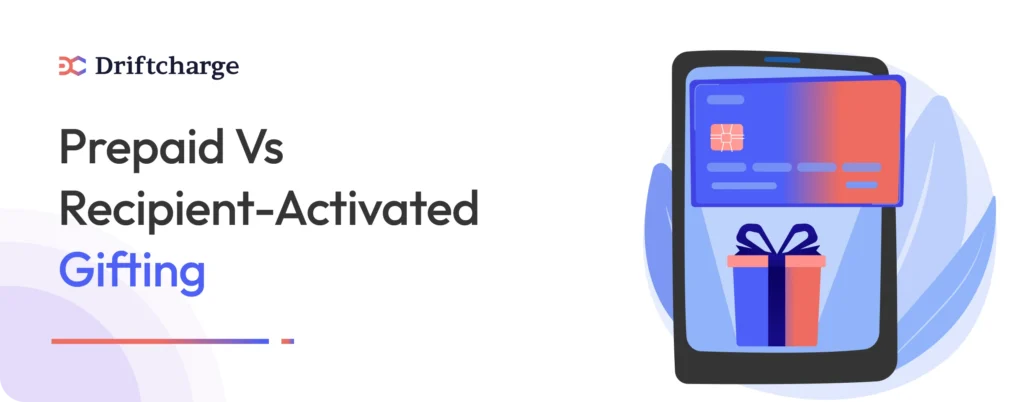
Most of the decisions in a gift subscription come down to one question: who starts it, and when does it end.
1. Prepaid for a fixed term
The sender pays once for a set number of deliveries, such as three, six or twelve, and the subscription ends when they are used up. To the buyer it is a one-time purchase with a known total, which is why it sells best as a gift. There is no renewal to explain and no surprise charge in February. The first delivery usually ships straight away, so this model depends on your shipping cutoff.
Use it when: the gift is for a date you can ship for, and you want the simplest checkout.
2. Recipient-activated with a chosen start date
The sender buys the gift and the recipient receives a code or an email. The recipient enters their own address, chooses when the deliveries begin and, in most setups, how often they arrive. Nothing ships until they do that. It costs the sender nothing in planning, and it is the only model you can keep selling after the carrier deadlines, because there is nothing to deliver before Christmas except the email.
Use it when: the shipping cutoff has passed, the recipient’s address or preferences are unknown, or your product has sizes, flavors or frequencies the recipient should pick.
3. Recurring, paid by the sender
The sender’s payment method is charged on each cycle, as with a normal subscription, but the deliveries go to the recipient. It works for ongoing gifts between family members, and it is the hardest to sell cold, because the buyer has to trust that they can stop it. If you offer it, show the cancel path on the product page, not only in the portal.
Use it when: you already have subscribers who ask for it. For a holiday launch, the first two models do the work.
Whichever model you choose, keep the subscription delivery frequency simple on the gift product. One option, monthly, converts better than a menu the sender has to decide on for someone else.
What your subscription app must support
The queries that bring merchants to this page all ask the same thing in different words: which apps support gifting. The useful answer is a feature test. Open the app’s listing and documentation and look for each of these before you install.
- Separate sender and recipient details: two names, two emails and the recipient’s address, captured at checkout or afterwards. Without this, it is not a gift subscription.
- Prepaid, fixed-term plans: a set number of deliveries paid in one charge, with the subscription ending on its own when they run out.
- A start date the recipient can choose: for the recipient-activated model, and for senders who want the first box to land on the day itself.
- A gift message and a recipient email: the recipient should hear from you before the first parcel arrives, with the sender’s note and what to expect.
- Clear end-of-term behavior: what happens when the last delivery goes out. A renewal reminder to the recipient with an opt-in is right. A silent charge to the sender is a chargeback waiting to happen.
- A delivery date picker: for subscription boxes, letting the recipient choose or move a delivery date cuts the “where is my box” emails.
- Import of existing subscriptions: if you are moving from another platform or app, the app needs a migration tool that brings subscriptions and payment methods across. Ask the app’s support how they handle it before you commit.
- A customer portal the recipient can use: pause, skip and address changes, without showing the price the sender paid.
The subscriptions category on the Shopify App Store is the place to start. Read the pricing section of each listing for gifting, because some apps include it on every plan and others sell it as an add-on.
Setting up a gift subscription product on Shopify
The steps below work with any app that passes the test above. Allow a week, most of it for testing.
- Create a separate gift product. Do not add a gift option to your normal subscription product. A product called “3 months of coffee, as a gift” with its own page converts better and keeps your regular subscribers’ flow untouched.
- Set the terms as variants. Three, six and twelve deliveries, each with a prepaid price. Round numbers, and a small saving on the longer terms, are enough. Skip percentage discounts that need a calculator.
- Build the selling plan in the app. Prepaid, fixed number of deliveries, renewal off by default, and the recipient fields turned on. For the recipient-activated model, switch on the activation email and the start date choice.
- Write the page so the sender can explain it. What arrives, how often, how many times, when the first one ships, and what happens at the end. Put the shipping cutoff for the first delivery on the page in November.
- Set up the emails. Sender: order confirmation and a note when the first box ships. Recipient: the announcement with the gift message, shipping updates, and a reminder two weeks before the last delivery.
- Check the subscription customer portal from the recipient’s side. They should be able to change the address and skip a delivery without seeing the sender’s payment details.
- Place a test order from sender to last delivery. Buy the gift with a real card, activate it as the recipient, and move the dates forward in the app to see the final delivery and the end-of-term email. Fix anything that confuses you, because it will confuse a customer.
Holiday dates for gift subscriptions in 2026
A gift subscription has two deadlines that a normal product does not. The first box has to arrive on time, and the sender has to understand that the rest will follow. Build the offer around the dates below, and set them against the wider holiday ecommerce strategy for Shopify stores, where the full calendar and every carrier’s deadline sits.
| Date | What it means for gift subscriptions |
|---|---|
| By October 31 | Gift product live and tested. Shoppers who start early are already looking. |
| November 27 to 30 (Black Friday to Cyber Monday) | The prepaid offer is the headline. Sell the longer terms with a small saving rather than discounting the monthly price. |
| Monday, December 14 (Green Monday) | Last big push for prepaid gifts with a December first delivery. Show the order-by date on the page. |
| December 15 to 17 | Ground deadlines close: FedEx Ground Economy on the 15th, USPS Ground Advantage on the 17th. Set your first-box order-by date a day or two earlier. |
| December 18 to 24 | Switch the gift page to the recipient-activated model. The gift arrives by email, the first box ships in January. |
| December 26 onwards | Recipients activate their gifts. Your welcome flow starts here. |
The switch on December 18 is the part most stores miss. A prepaid gift that cannot ship before Christmas is a disappointed buyer, but a recipient-activated gift sold on December 23 is a perfectly good gift. Change the product page message rather than taking the product down.
Marketing gift subscriptions to holiday shoppers
Gift buyers are not your usual customer. They may not use the product, they are buying for someone whose preferences they half know, and they want to be sure it will arrive. Your page and your campaigns should answer those three worries before they mention price.
- Name the gift by what it is: “Three months of coffee” is easier to give than “Quarterly subscription plan”. Say how many deliveries, how often and when the first one arrives.
- Give it its own page, not a variant: a gift page with the sender’s questions answered, a sample of what is in a delivery, and the order-by date.
- Keep the pricing round: one price per term, shipping included if you can. Gift buyers compare you with a gift card, which has no surprises.
- Put it in front of your own customers first: people who already subscribe are the most likely to give the same thing. One email to them in early November outperforms most paid campaigns.
- Write two flows, not one: the sender wants confirmation and tracking; the recipient wants to know what is coming and how to manage it. Adapting your holiday subscription email templates for each of them takes an afternoon and saves a month of support replies.
You do not need a new tool for this. The Shopify marketing apps most stores already run will send both flows, and the gift subscription only needs two more sequences inside the one you have.
Turning gift recipients into paying subscribers
Gift recipients are the hardest subscribers to keep, because they did not choose you. Someone else did. The term ends, the deliveries stop, and unless you have given them a reason, so does the relationship. Subscriber churn on gift cohorts is high for that reason, and it is also the easiest churn to work on, because you know exactly when each term ends.
- Start at activation, not at the end. The recipient’s onboarding flow should explain what they have, how to use it and how to change deliveries, in the first email they get from you.
- Ask what they think after the first delivery. A one-question survey or a review request tells you who is engaged and who never opened the box.
- Send the end-of-term reminder two weeks out, with one offer to continue: the same product at your normal price, with a small first-renewal saving if you want to use one. No countdown, no pressure.
- Make continuing one click. The recipient adds a payment method in the portal and keeps the schedule they already have. Asking them to buy the product again from the storefront loses most of them.
- Treat the ones who stop as warm, not lost. A win-back email in February and March, timed to when they would have run out, brings some of them back at full price.
None of this is unique to gifts. Turning holiday buyers into subscribers rests on the same habits, applied to everyone who bought from you in November and December. The difference with gifts is that the clock is visible: you know the last delivery date, so you can plan the ask to the day. That is also the simplest way to reduce post-holiday subscription churn, because the surprise charge, the usual cause, never happens.
Measure it in March. The share of gift recipients who became paying subscribers, and the lifetime value of that group, tell you whether to put more or less behind gift subscriptions next year.
Gift subscriptions beyond December
The holiday season is the biggest gifting window, but it is not the only one, and a gift product that is already built keeps selling. Three dates in 2027 are worth a campaign each: Valentine’s Day on Sunday, February 14, Mother’s Day on Sunday, May 9, and Father’s Day on Sunday, June 20. For each, the prepaid model needs a first-box order-by date about a week before, and the recipient-activated model can sell up to the day itself.
Birthdays run all year and need no date on your side at all: a recipient-activated gift with a chosen start date is the whole product. Keep the gift page live after the holidays, change the hero message to the next occasion, and the work you did in November keeps paying.
FAQs about Shopify gift subscriptions
Do Shopify subscription apps support gift subscriptions?
Some do, and some do not. Shopify’s own free subscription app supports subscribe and save plans with weekly, monthly or yearly renewals, but its documentation does not mention gifting or prepaid terms. Many third-party subscription apps add gifting, either on every plan or as a paid add-on. Check the listing for separate sender and recipient details, prepaid fixed-term plans and a recipient start date before you install.
How do gift subscriptions work on Shopify?
The sender buys a gift subscription product, chooses the term and enters the recipient’s details, or sends a code the recipient uses to enter their own. The app creates the subscription with the sender as the payer and the recipient as the delivery address. The recipient gets the deliveries and the shipping emails, and at the end of the term is invited to continue on their own payment method.
Can the recipient choose when a gift subscription starts?
Yes, if the app supports recipient activation. The sender buys the gift, the recipient receives an email with a code, and the first delivery ships on the date they pick. This is the model to sell after the shipping cutoffs in December, because the gift itself arrives by email.
What is a prepaid gift subscription?
A subscription paid for in one charge for a fixed number of deliveries, such as three, six or twelve, that ends when they are used up. The sender knows the total at checkout, and nobody is charged again unless the recipient chooses to continue. It is the simplest gift subscription to sell and the one to lead with for Black Friday and Cyber Monday.
How do I move existing gift subscriptions to Shopify?
Choose a subscription app with a migration tool, and ask its support team how it brings across subscriptions, remaining deliveries and saved payment methods before you commit. Move outside a peak period, pause billing during the switch, test with a small group first, and email every subscriber before and after with what changes for them. Gift subscriptions need one extra check: that the sender stays the payer and the recipient stays the delivery address after the move.
Gift subscribers are the hardest to retain; they didn’t choose you, someone else did. Your job is to make them stay. Driftcharge supports gift subscriptions on Shopify with flexible plans and smooth subscriber onboarding, so gift recipients become long-term paying customers.

Ganesh Pawar


Join the waitlist now
Limited early access. Early joiners receive additional discounts on premium features.
Discover how