Which Shopify Subscription Payment Gateways Actually Work?
- Updated: July 30, 2026
Table of Contents
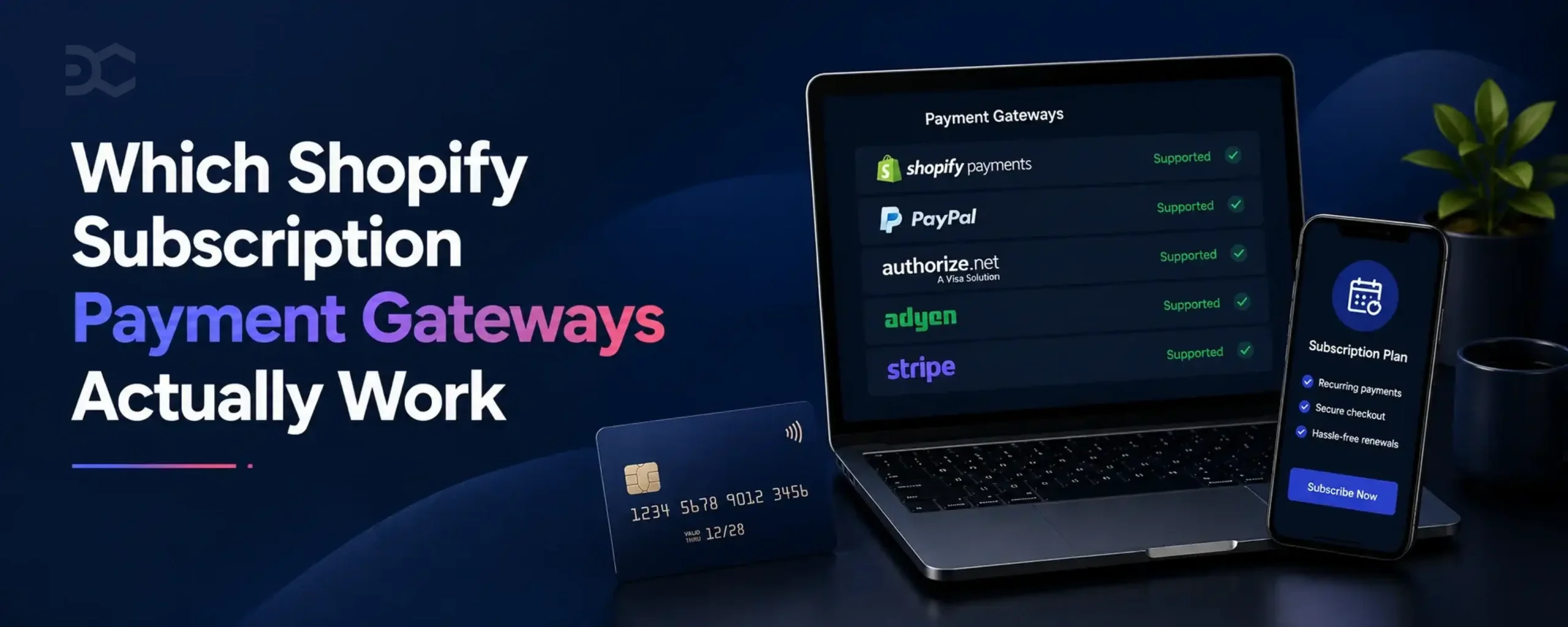
Shopify subscription payment gateways come down to five: Shopify Payments, PayPal Express, Authorize.net, Adyen and Stripe. Shopify names the same five in its help centre, and the list applies to every subscription app on the App Store.
You probably don’t qualify for all five, though. Your region, your product category and Shopify’s approval rules cut that list down fast, and plenty of stores end up with exactly one workable option.
The list stays short because of what recurring billing actually demands. A saved card has to be charged months later with nobody returning to checkout, and not every payment gateway can do that.
Pick wrong and renewals fail quietly, long after you spent money winning that subscriber.
The 5 Shopify Subscription Payment Gateways
Every subscription app on the App Store works from the same five options. Recharge, Appstle, Seal, Loop, Driftcharge, all of them.
That surprises people who assume the app controls this. It doesn’t. Shopify sets the rules at the platform level, so switching apps never widens your choices.
Here are the five payment gateways for Shopify subscriptions:
- Shopify Payments
- PayPal Express
- Authorize.net
- Adyen
- Stripe
Shopify adds one caveat to that list: availability varies by region and terms of service.
Read that as two separate filters. Region decides what you can connect at all, since Shopify Payments only operates in certain countries. Terms of service decide whether Shopify approves your particular store, which comes down to what you sell.
Stripe carries a third restriction. Shopify limits it to select stores, so seeing it listed doesn’t mean you can switch it on.
None of these five is a payment processor in the strict sense, either. They’re gateways, and the difference matters once things start failing.
Why Shopify Limits You to Five Gateways
Think about what has to happen on renewal day. Your subscriber is asleep. Nobody opens your store, nobody types a card number, nobody clicks anything.
Money still moves.
That only works if the card details were saved somewhere safe at the first purchase. The industry calls this vaulting, and it’s the whole reason your gateway options are limited.
Here’s what happens when someone subscribes. Shopify asks permission to vault the payment method during checkout, then swaps the real card number for a token, which is a stored reference that can authorise future charges without exposing the actual card.
Shopify holds that token and creates a subscription contract against it. On each billing date, your subscription app tells Shopify to charge the contract, Shopify fires the request through your gateway, and the gateway returns a success or a failure.
Notice who’s doing the work. Shopify processes the charge, not your app.
So the gateway has one non-negotiable requirement: it has to support tokenised, off-session charging through Shopify’s subscription API. Plenty of gateways handle one-time payments beautifully and cannot do this.
That’s the actual dividing line. Not popularity, not fees, not how good the integration looks.
A gateway that can’t hold a token can’t power automatic payments. Which is why the list sits at five and rarely changes.
What Each Gateway Costs You at Checkout
Fee comparisons dominate most gateway articles, and they’re close to useless here. Your five options price within a whisker of each other.
What separates them is what breaks. Which wallets disappear from your checkout, whether expired cards update themselves, and whether you can connect the thing at all.
The table below covers the constraints that actually change your revenue.
| Gateway | Region availability | Wallets supported | Automatic card updates | Best for |
|---|---|---|---|---|
| Shopify Payments | Select countries only | Shop Pay, Apple Pay, Google Pay, PayPal | Yes, strongest in the US | Almost everyone who qualifies |
| PayPal Express | Wide | PayPal | Check with PayPal | Stores blocked from Shopify Payments |
| Authorize.net | Wide | PayPal only | Check with your provider | Regulated or high-risk categories |
| Adyen | Wide, enterprise onboarding | Varies by setup | Check with Adyen | Large multi-market stores |
| Stripe | Select stores only | Limited, often wallet-only | Check with Stripe | Stores Shopify has approved for it |
Shopify Payments
Take it if you can get it. The gap between Shopify Payments and everything else is wider than most people expect.
Automatic card updates are the reason. Shopify works with the card networks to refresh saved card details when your subscriber gets a replacement card, so the renewal goes through instead of failing. Shopify notes this works best in the United States, with international support varying.
Wallet coverage is the second reason. Your subscribers can pay through Shop Pay, Apple Pay, Google Pay or PayPal, which is the widest set of payment methods any of the five gives you.
Two limits worth knowing. Apple Pay only handles Visa and Mastercard on subscriptions, and some stores get Shop Pay alone rather than the full wallet lineup.
PayPal Express
This is the fallback most stores land on when Shopify Payments says no.
PayPal Express does double duty. It runs as your gateway and shows up as a wallet option at checkout, which softens the blow of losing Apple Pay and Google Pay.
One cost to plan for. Shopify charges a third-party transaction fee on top of PayPal’s own rate whenever Shopify Payments isn’t active on your store.
Authorize.net
Here’s the trade-off nobody warns you about before you switch.
Authorize.net works fine for subscriptions. But PayPal becomes your only wallet option. Google Pay and Apple Pay stop appearing at checkout entirely.
For a subscription business, that’s a conversion problem rather than a payments problem. Wallet checkout is fast, and first-time subscribers are exactly the people who abandon when checkout gets slow.
Worth accepting when you have no alternative, which is often the case in regulated categories like supplements.
Adyen
Adyen sits in a different bracket to the other four.
Onboarding runs through a sales process and a merchant account review rather than a signup form. Volume expectations are real, and small stores rarely clear them.
Where it earns its place is multi-market scale. If you’re running several countries with local acquiring, Adyen handles that better than anything else on this list.
Most stores reading this won’t need it. Worth knowing it exists, because plenty of articles skip it entirely.
Stripe
Stripe is on the list, and you probably can’t use it.
Shopify restricts Stripe for subscriptions to select stores, and there’s no application form. Either your admin offers it or it doesn’t.
Check before you plan around it. Seeing Stripe named in Shopify’s documentation has sent plenty of people down a dead end.
Shop Pay, Apple Pay and Google Pay Are Not Gateways
This confusion causes real setup mistakes, so it’s worth being precise.
Shop Pay, Apple Pay and Google Pay are accelerated checkouts. They sit on top of a gateway and speed up how someone pays. They don’t process the recurring charge themselves.
Practically, that means they ride along with Shopify Payments. Lose Shopify Payments and you lose them, which is what makes the Authorize.net trade-off sting.
You’ll see them listed as supported payment options for subscriptions, and that’s accurate. Just don’t read it as five gateways plus three more.
Gateways That Don’t Work With Shopify Subscriptions
Search for the best Shopify payment gateways and you’ll get articles recommending Braintree, Square and Worldpay. Follow that advice and your subscriptions break.
Those articles aren’t lying. They’re answering a different question. General payment processing and recurring billing have different requirements, and most gateway roundups never make the distinction.
So here’s the other list. These do not work for Shopify subscriptions:
- Braintree
- Square
- Worldpay
- Klarna
- Razorpay
- Gokwik
- Flow
- mollie iDEAL
- Sofort
Some of these are excellent gateways. Square runs a serious payments business, and Razorpay dominates its market. Neither fact helps you here.
Beyond the named list, Shopify applies a broader rule that catches a lot of stores. Local payment methods can’t be used to buy subscriptions, full stop.
That rule matters most outside the United States and Western Europe. Bank transfers, regional wallets and country-specific instalment options often make up the bulk of how your customers prefer to pay, and none of them can carry a recurring charge.
Why does the confusion persist? Because a gateway can pass every other test you’d apply.
It integrates with Shopify. It processes one-time orders cleanly. It stores payment information securely and passes PCI requirements without trouble. Everything looks fine until the first renewal date arrives and nothing happens.
You’ll also see subscription apps advertising support for gateways that aren’t on Shopify’s list. Read that carefully before you commit. Those setups usually run billing outside Shopify’s native subscription contract, which means separate reporting, separate customer records and a migration headache later.
Check Shopify’s list first. It’s shorter than any roundup will tell you, and it’s the only one that decides whether your renewals fire.
What If Shopify Payments Rejects Your Store?
The categories that sell best on subscription are the same ones Shopify Payments scrutinises hardest.
Supplements. CBD and hemp products. Anything positioned as a health treatment. Nutraceuticals making specific claims. These build recurring revenue beautifully, because people genuinely reorder them every month without thinking about it.
They also sit close to, or inside, Shopify Payments’ prohibited business types. Shopify’s list covers regulated goods including prescription drugs, medical devices, tobacco and cannabis products, and supplement brands routinely get caught by adjacency rather than by the product itself.
Marketing language is often what triggers it. A protein powder passes without issue. The same powder sold as a treatment for a medical condition looks different to a compliance review.
You might discover this at signup. You might discover it eighteen months in, when your volume grows and someone takes a closer look at your merchant account.
Either way, you still have a path. Two of them.
Your two alternatives to Shopify Payments
PayPal Express is the simpler switch. It works as your gateway and stays visible as a wallet at checkout, so your subscribers still get one fast payment option. Budget for Shopify’s third-party transaction fee, which applies whenever Shopify Payments isn’t running.
Authorize.net carries more weight in regulated categories. Underwriting is separate from Shopify, which is exactly why it works when Shopify Payments won’t, and it’s the gateway most high-risk subscription businesses end up on.
Both are legitimate. Neither is a workaround.
What you lose when you switch gateways
Be clear-eyed about the trade-off, because it shows up in your numbers rather than in your setup.
On Authorize.net, Apple Pay and Google Pay disappear from your checkout. PayPal becomes the only wallet your subscribers see.
That hits first-time conversion hardest. Someone deciding whether to commit to a recurring charge is already hesitating, and wallet checkout removes the friction of typing card details on a phone. Take it away and you’re asking a hesitant buyer to do more work.
You also lose Shopify’s automatic card updates, which is the quieter cost. Expired cards stop refreshing themselves, so more renewals fail for reasons that have nothing to do with whether your subscriber still wants the product.
Plan for both. Push subscription signups toward desktop where card entry is less painful, and get serious about failed payment recovery from day one rather than adding it later.
How to Fix Shopify Subscription Gateway Errors
Most gateway problems announce themselves in one of three ways, and all three trace back to the same root cause.
Something Shopify expected to find isn’t connected.
Work through the one matching your error. Each has a different fix, and none of them requires a developer.
“Subscription Eligibility Error”
Your subscription app throws this when Shopify hasn’t marked your store as eligible to sell subscriptions.
The app isn’t the problem. Shopify decides eligibility at the store level, then your app reads that status, so reinstalling or switching apps changes nothing.
How to fix it – Open your payment settings in Shopify admin and confirm one of the five supported gateways is connected and active. If your gateway isn’t on that list, that’s your answer. Connect a supported one and the error clears.
Also check whether your store has completed Shopify’s account verification. An unverified store can show as ineligible even with the right gateway sitting there.
“This store can’t accept payments right now”
This one appears at checkout, which makes it the most expensive of the three. Your subscribers see it instead of a working payment page.
The gateway is connected, but it isn’t set up to auto-charge subscriptions. Everything looks correct in your admin while the actual permission is missing.
How to fix it – Disconnect your gateway and reconnect it, accepting every permission prompt during setup. The vaulting permission gets skipped more often than you’d expect, and it’s the one that matters.
Test with a real subscription order afterwards. A test order won’t always surface this.
“Payment provider is not enabled”
You’ll see PAYMENT_PROVIDER_IS_NOT_ENABLED in a failed billing attempt rather than at checkout. Existing subscribers stop renewing while new signups keep working normally.
That pattern points to a gateway you connected once and later removed or replaced. Shopify created those subscription contracts against the original gateway, so the token has nowhere to go when the billing cycle comes around.
How to fix it – Reconnect the original gateway. Renewals resume against the existing contracts.
If you’ve deliberately moved gateways for good, reconnecting is a stopgap. Those older contracts need migrating properly, and that’s a conversation with your app provider rather than a settings change.
When the problem isn’t your gateway
Two failures look like gateway problems and aren’t.
A revoked payment method means your subscriber removed their card or their bank cancelled it. Nothing on your side is broken. Recovery here runs through email, asking them to update their details in your customer portal.
Failed renewals with no error code usually mean a declined card, not a configuration fault. Check whether one subscription failed or all of them. One is a card problem, and billing behaviour around order edits causes more of these than people assume.
How Your Gateway Choice Drives Failed Payments
Cards expire. That’s the whole problem, and it does more damage than it sounds like it should.
Someone who’s paid you every month for two years gets a replacement card in the post. They don’t think about your store, because why would they. Their next renewal fails and they’re gone, having never made a decision about it.
That’s involuntary churn. Your gateway decides how much of it you absorb.
Shopify Payments works with the card networks to refresh saved card details before the charge goes out, so the new card gets picked up automatically. Shopify says this works best in the United States and that international coverage varies by network and region, which is worth reading twice if most of your subscribers sit outside the US.
The other four gateways don’t give you this. Rejected by Shopify Payments and every expired card becomes a failed payment you have to chase.
Here’s what that changes. Failed payments stop being an admin job you tidy up at month end and become a revenue leak you sized during setup, before you had a single subscriber.
Most stores never look at the number separately. It hides inside total churn, sitting next to genuine cancellations, and the two need completely different responses.
Retry sequences and pre-renewal reminders close most of the gap. Neither one depends on your gateway, so the stores bleeding worst are usually the ones running nothing rather than the ones on the wrong provider.
Split your failed payments out from your cancellations and see what you’re actually dealing with. The churn rate calculator will get you a number in a couple of minutes, and if failures turn out to be a real slice of it, that’s the cheapest retention win on your list.
Common Questions About Shopify Subscription Gateways
Which payment gateways does Shopify support for subscriptions?
Shopify Payments, PayPal Express, Authorize.net, Adyen and Stripe. Availability depends on your region and on Shopify’s terms of service, and Stripe has a further catch in that Shopify only opens it to select stores. Every subscription app on the App Store works from this same list, so switching apps won’t get you a sixth option.
Can I sell subscriptions without Shopify Payments?
Yes, and plenty of stores do. Four of the five supported gateways aren’t Shopify Payments.
The part people underestimate is what goes missing. Automatic card updates stop, most wallet options vanish from checkout, and both of those show up later as failed renewals and abandoned signups rather than as anything obviously broken.
What is the alternative to Shopify Payments for subscriptions?
For most stores it comes down to PayPal Express or Authorize.net.
PayPal Express is the easier switch of the two, and it keeps one wallet option visible at checkout. Authorize.net tends to be the answer in regulated categories, since its underwriting sits outside Shopify entirely, though you’re accepting PayPal as your only wallet.
Adyen is the third option, realistically only if you’re running enterprise volume across several markets.
Why is my subscription not working on Shopify?
Start by checking whether one subscription failed or all of them, because that tells you almost everything. A single failure is usually just a declined card. Everything failing at once points at your gateway.
From there it’s normally one of three setups. No supported gateway connected, so your store never got marked eligible. A gateway that’s connected but never granted permission to auto-charge, which surfaces as a checkout failure your customers see. Or a gateway you removed after subscription contracts had already been created against it, which kills renewals while new signups carry on working fine.
Does Razorpay work with Shopify subscriptions?
It doesn’t. Razorpay sits outside Shopify’s supported list, which rules it out for native subscription billing.
You will find apps advertising Razorpay recurring payments anyway. Those run the billing outside Shopify’s subscription contract, so it technically works while leaving your subscription data somewhere Shopify can’t see it. Expect reporting gaps and a rough migration whenever you move.
Worth sorting your subscription fundamentals before the gateway question if Shopify Payments isn’t available where you sell.
Most people pick a gateway in four minutes during setup, then live with the consequences for years.
Take Shopify Payments if Shopify will give it to you. If it won’t, PayPal Express and Authorize.net both work properly, and neither one is a compromise worth agonising over.
Go in knowing what you’re trading away. Fewer wallets at checkout, no automatic card updates, and a failure rate you manage yourself instead of one the platform absorbs for you.
That last part decides more than the gateway itself. Retry sequences and card-update reminders cost you nothing to set up and recover renewals a supported gateway would have caught for you.
Sort that out first. Then the gateway you’re stuck with matters a lot less.
Expired cards, skipped retries, and recovery emails that never got sent cost Shopify subscription brands more than cancellations do. Driftcharge is being built so you catch those before the subscriber is gone, not after they show up in a churn report.

Ganesh Pawar


Join the waitlist now
Limited early access. Early joiners receive additional discounts on premium features.
Discover how