13 Best Shopify Apps for Black Friday and Cyber Monday to Prepare Your Store in 2026
- Updated: October 9, 2026
Table of Contents
Shopify merchants sold a record $14.6 billion over Black Friday and Cyber Monday 2025, 27% more than the year before. More than 81 million people bought from a Shopify-powered brand that weekend, and at the peak sales hit $5.1 million a minute.
BFCM 2026 runs from Black Friday, November 27, to Cyber Monday, November 30. Four days is not long, and most of the work happens before the sale starts. A slow page, a broken discount or an oversold product can undo weeks of planning.
Below are the top Shopify apps and tools for BFCM sales optimization, grouped by the job they do: getting the store ready, running your discounts, turning visitors into orders, speeding up checkout and handling the orders afterwards. For each one you get the price, who it suits, when to skip it and one thing to do before the sale.
Prices were checked against each app’s official Shopify App Store listing in October 2026. Prices change often, so check the listing before you install.
Must-have Shopify apps for BFCM 2026
- Store speed: Tiny SEO Speed Image Optimizer
- Backups: Rewind Backups
- Restock alerts and preorders: STOQ
- Discounts and free gifts: Kite
- Bundles and volume discounts: Bundler
- Countdown timers: Essential Countdown Timer Bar
- Upsells: Selleasy
- Cart recovery by SMS: TxtCart
- Checkout: Shop Pay and PF: Skip To Checkout/Skip Cart
- Chat: Shopify Inbox
- Order tracking: CWILL Order Tracking
- Returns: AfterShip Returns & Exchanges
You do not need all thirteen. Pick one for each problem you actually have.
Shopify Black Friday apps compared
Eleven of the thirteen are free or have a free plan, though most free plans have low limits. Rewind Backups starts at $19/month, and TxtCart has a $29 monthly minimum.
| App | Job | Free option | Paid plans |
|---|---|---|---|
| Tiny SEO Speed Image Optimizer | Store speed | Pay-as-you-go plan with 50 free image optimizations a month | From $14/month |
| Rewind Backups | Backups | 7-day free trial | From $19/month for up to 300 orders a month |
| STOQ | Restock alerts and preorders | Free plan with 10 preorders and 30 emails a month | From $10/month |
| Kite | Discounts and free gifts | Free for the first 50 discount orders a month | From $29/month |
| Bundler | Bundles and volume discounts | Free plan with no order limit | From $9.99/month |
| Essential Countdown Timer Bar | Countdown timers | Free plan, up to 1,000 timer views a month | From $6.99/month |
| Selleasy | Upsells | Free for up to 50 orders a month | From $9/month |
| TxtCart | Cart recovery by SMS | Free to install, with $500 in trial credits | $29 monthly minimum; Growth is $79/month |
| Shop Pay | Checkout | Free with Shopify Payments | None |
| PF: Skip To Checkout/Skip Cart | Checkout | Free | None |
| Shopify Inbox | Chat | Free | None |
| CWILL Order Tracking | Order tracking | Free plan for 20 orders a month | From $11/month |
| AfterShip Returns & Exchanges | Returns | Free plan with shopper-funded returns | From $19/month |
Shopify apps for BFCM prep
BFCM prep starts with the boring parts: speed, backups and stock. None of them brings in a visitor, but each one can cost you sales if it fails on the day. Apps are only one part of preparing your Shopify store for holiday sales.
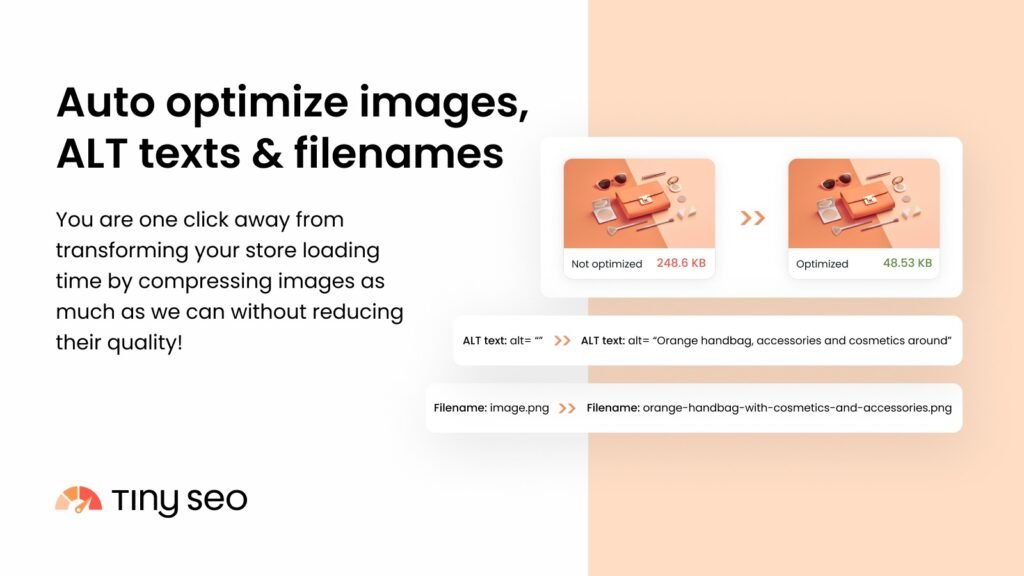
1. Tiny SEO Speed Image Optimizer: lighter images and faster pages
Tiny SEO Speed Image Optimizer, from TinySEO (formerly TinyIMG), compresses and resizes your images and adds ALT text and SEO-friendly filenames. Large images slow a page down, and new sale banners add to the load. The app carries the Built for Shopify badge.
Best for: stores with large product photos or a lot of new sale banners.
What it does well: image compression and resizing, ALT text, and a 30-day image backup. Paid plans add lazy loading and JavaScript and CSS minification.
Price: free to install on the pay-as-you-go plan, with 50 free image optimizations a month and 3 cents for each extra image. Beginner is $14/month for 1,500 images and adds lazy loading. Advanced is $23/month for 5,000 images and adds CSS and JavaScript minification. Expert is $49/month for 15,000 images.
Skip it if: your catalog is small and your images are already compressed.
Before BFCM: run it on your sale banners and best-seller pages, then load those pages on your phone.
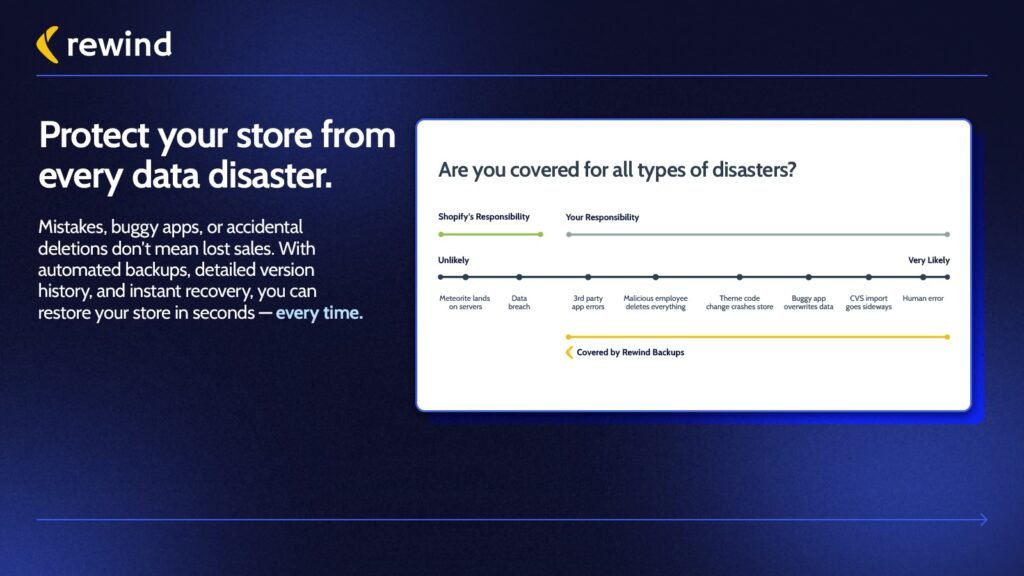
2. Rewind Backups: backups for Black Friday prep
Rewind Backups automatically backs up your products, themes, collections and customer data, with daily, real-time and on-demand backups. If a bulk price edit or a theme change goes wrong the night before the sale, you can restore the earlier version.
Best for: stores that edit prices, themes or collections in bulk for the sale.
What it does well: bulk and individual restores, a 365-day backup history, metafield backups, and backups for Klaviyo and Mailchimp.
Price: Backup + Restore is $19/month for up to 300 orders a month. Protection Suite is $99/month for up to 600 orders a month and adds downtime tracking and bulk product change alerts. Both have a 7-day free trial, and there is no free plan. Higher order tiers are on Rewind’s pricing page.
Skip it if: you change very little for BFCM and keep your own product exports.
Before BFCM: confirm a fresh backup exists before you bulk-edit prices or publish your sale theme.
Stock management tools: start with Shopify’s built-in inventory
If you used Stocky for stock planning, note that Shopify delisted it from the App Store on February 2, 2026, and Stocky is no longer available as of August 31, 2026. Shopify now points merchants to the inventory tools in the Shopify admin: transfers, purchase orders, adjustments and stock counts.
Before the sale, count your sale items and check the “Continue selling when out of stock” setting on each one. When it is not selected, shoppers cannot buy the item once stock reaches zero, which prevents overselling.
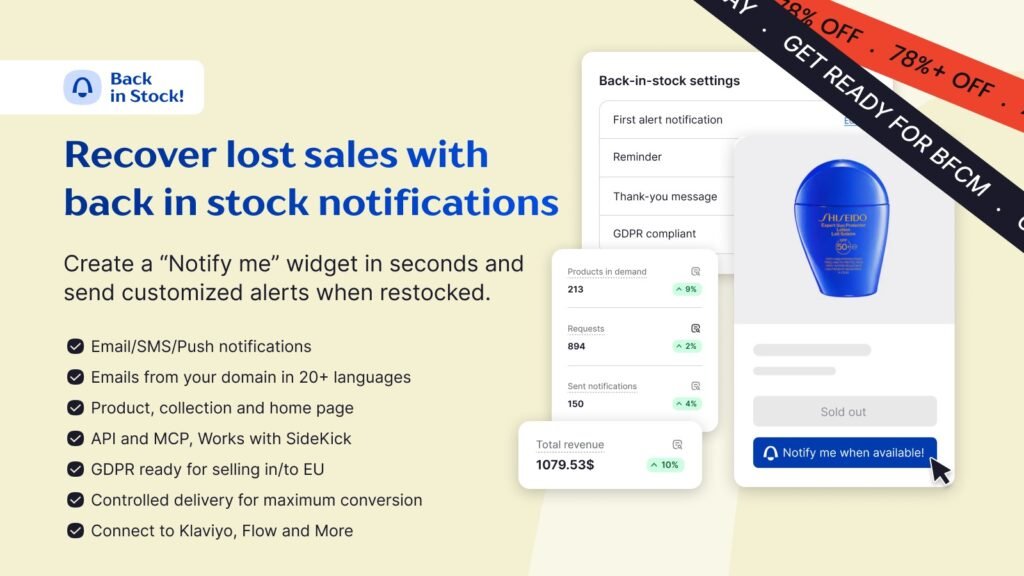
3. STOQ: preorders and back-in-stock alerts
STOQ is the most loved preorder app on the Shopify App Store, trusted by 40,000+ merchants and named one of Shopify’s Top 25 Built for Shopify apps. It keeps revenue coming in when products sell out, with preorders and partial payments, automated back-in-stock alerts and waitlists, and demand insights, all set up in minutes.
Best for: stores whose best sellers are likely to sell out during the sale.
What it does well: Notify Me and Preorder widgets you can customize, unlimited waitlist sign-ups, deposits on preorders, and automatic restock alerts by email and SMS.
Price: the free plan includes 10 preorders and 30 emails a month. Lite is $10/month for 100 preorders and 1,000 emails or SMS. Pro is $29/month for 400 preorders and 2,000 alerts. Unlimited is $69/month. SMS costs $0.025 each, and paid plans have a 14-day free trial.
Skip it if: you hold deep stock on everything in the sale.
Before BFCM: turn on the Notify Me and Preorder widgets for your sale items, so a sold-out product still collects orders and interested shoppers. The free plan stops at 30 emails a month, so move to a paid plan if you expect more.
Shopify discount apps for Black Friday
Your offer is the centre of the sale, so set it up early and test it. Start with Shopify’s own discounts, and add an app only for offers Shopify cannot build.
Start with Shopify’s built-in discounts
You may not need a discount app at all. Shopify’s built-in discount types are amount off, buy X get Y and free shipping discounts. Decide early whether shoppers will enter discount codes or get the offer automatically, and whether free shipping starts at a minimum spend. Test each one at checkout a week before the sale.
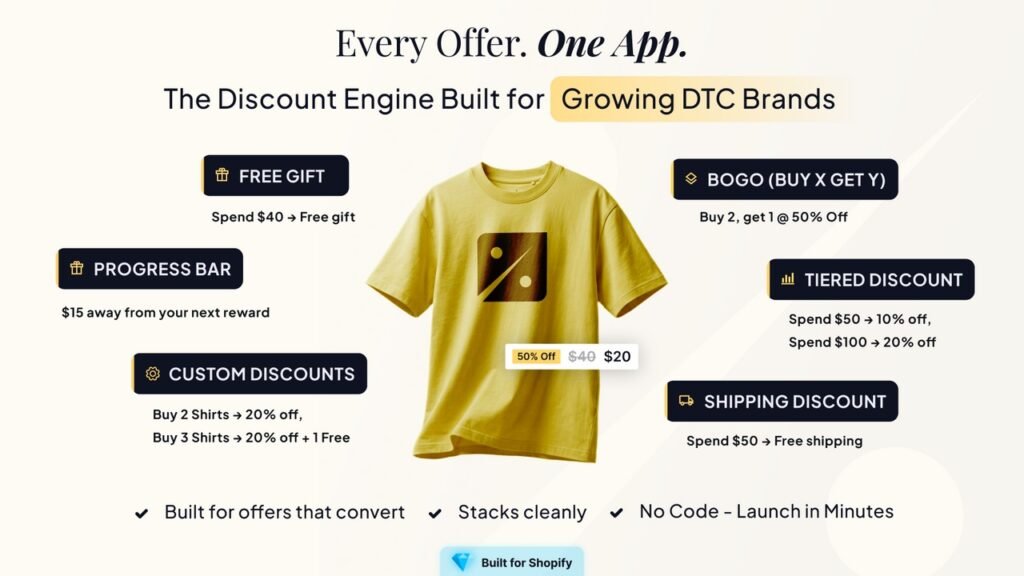
4. Kite: a Black Friday discount app for free gifts and BOGO
Kite Discount, Free Gift, BOGO adds and removes a free gift automatically when the cart reaches a set value. It also runs buy X get Y offers and tiered discounts that reward a higher spend. The app carries the Built for Shopify badge.
Best for: stores that want a gift-with-purchase or spend-more-save-more offer.
What it does well: free gift offers, buy X get Y promotions, tiered product and shipping discounts, and scheduling for your offers. Paid plans add progress bars and bulk discount codes.
Price: the free plan includes the first 50 discount orders each month, and you are billed $29/month only if you go over 50. Starter is $29/month with unlimited discount orders. Growth is $49/month and Pro is $99/month. Paid plans have a 7-day free trial.
Skip it if: you are on the Shopify Advanced or Plus plan. The listing says the free and Starter plans are not for those stores.
Before BFCM: expect to pass 50 discount orders during the sale and budget for the $29 month. Schedule the offer to start and end with your sale.
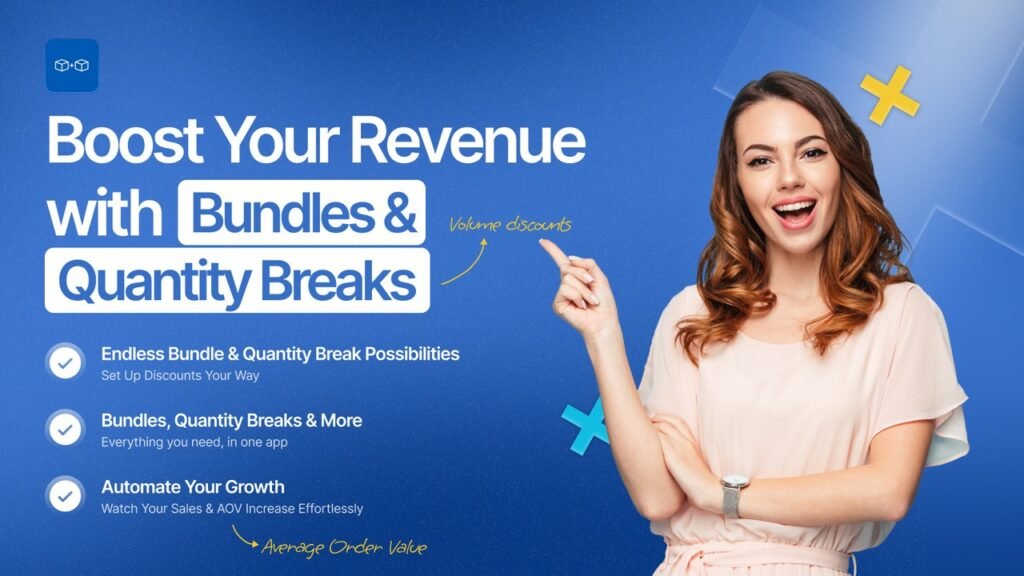
5. Bundler: bundles and volume discounts on a free plan
Bundler creates product bundles, quantity breaks and volume discounts. The discount can be a percentage, a fixed amount or a fixed price. The app carries the Built for Shopify badge.
Best for: stores that want “buy more, save more” offers without a monthly bill.
What it does well: the free plan includes buy X get Y, volume discounts and quantity breaks, product page upsells and automatic discounts, with unlimited orders.
Price: the free plan costs nothing. Premium is $9.99/month and adds mix and match bundles, custom landing pages and free shipping offers. Executive is $19.99/month and adds bundle analytics. Paid plans have a 7-day free trial.
Skip it if: you sell a single product with nothing to bundle it with.
Before BFCM: build one bundle around each best seller and place a test order to confirm the discount applies.
Shopify apps to increase conversions on Black Friday and Cyber Monday
These apps help more of your visitors finish the order, and spend more when they do. Watch your cart abandonment rate over the weekend to see whether they are working.
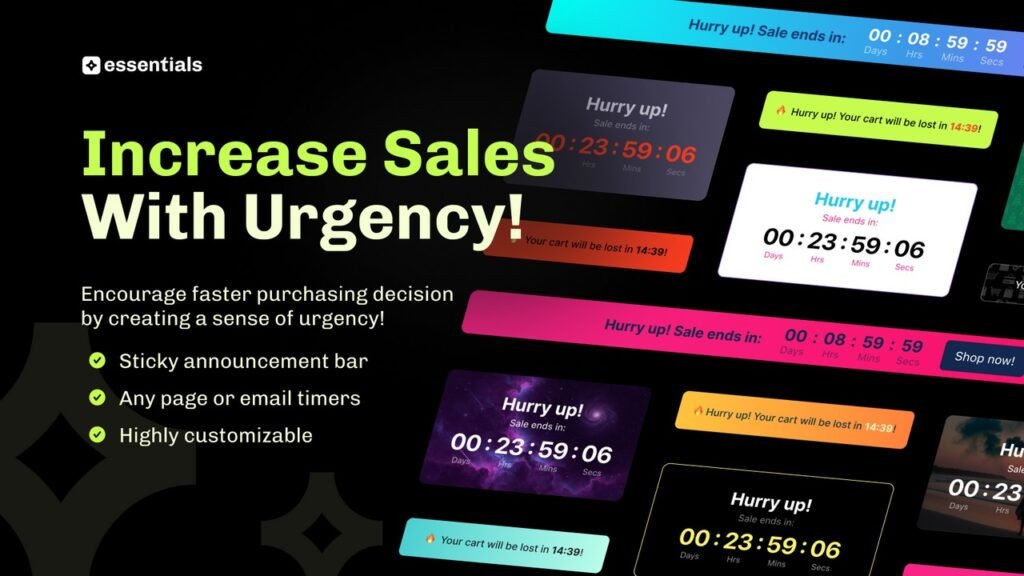
6. Essential Countdown Timer Bar: a Shopify countdown timer app for sale deadlines
Essential Countdown Timer Bar adds countdown timers to a top or bottom announcement bar and to your product pages. Paid plans add landing page, cart and email timers.
Best for: any store running a time-limited BFCM offer.
What it does well: unlimited top-bar and product-page timers on the free plan, with scheduled and recurring timers on paid plans.
Price: the free plan allows up to 1,000 timer views a month. Starter is $6.99/month for 10,000 views and adds scheduled and recurring timers. Essential is $9.99/month for 50,000 views and adds cart timers and geo-targeting. Professional is $29.99/month with unlimited views. Paid plans have a 7-day free trial.
Skip it if: your offer has no real end date. A fake deadline misleads shoppers.
Before BFCM: estimate your sale-weekend traffic first, because 1,000 views can run out quickly. Then set separate timers for Black Friday and Cyber Monday, each ending when that offer truly ends.
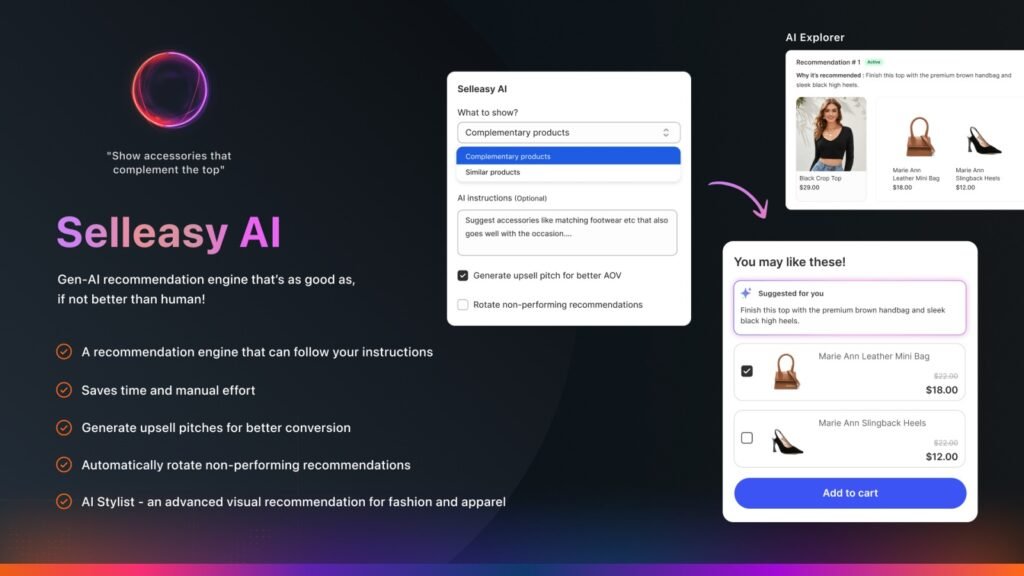
7. Selleasy: a Shopify upsell app for bigger baskets
Selleasy, from Logbase, shows frequently-bought-together bundles and product add-ons on the product page, in the cart, at checkout and after purchase. On a weekend when you are discounting, a bigger basket protects your average order value. The app carries the Built for Shopify badge.
Best for: stores with a catalog where products pair naturally.
What it does well: product add-ons as a list, grid, carousel or pop-up, in-cart upsells, and one-click offers at checkout and on the thank-you page.
Price: free for up to 50 orders a month. After that it is $9/month for up to 500 orders, $19/month for up to 1,000 and $29/month above 1,000, based on your store’s total orders. Paid tiers have a 30-day free trial.
Skip it if: you sell one or two products. There is little to recommend.
Before BFCM: pair each best seller with one add-on and test the offer on your phone. To weigh it against other options, compare more Shopify upsell and cross-sell apps.
Cart recovery: start with Shopify’s abandoned checkout emails
Shopify can automatically email customers who abandon their checkout, through its “Abandoned checkout emails by Shopify” automation. Turn it on before the sale and read the email once on your phone. If you want more than one reminder, look at dedicated abandoned cart apps.
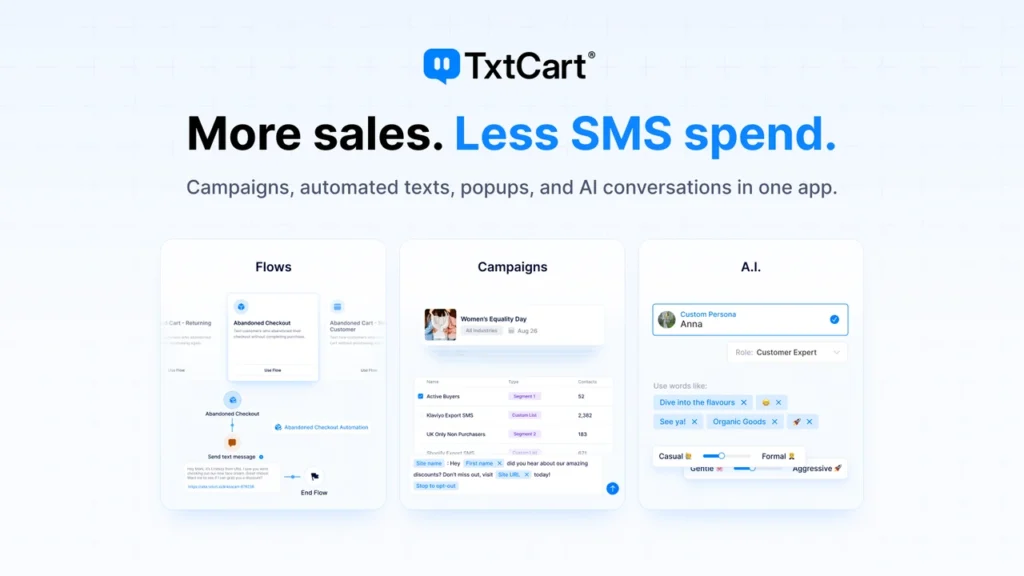
8. TxtCart: cart recovery by text message
TxtCart AI: SMS Marketing sends automated text messages for abandoned carts, welcome, browse and win-back flows. Its AI Agent answers shopper questions and recommends products through two-way text.
Best for: stores that already collect phone numbers and want cart reminders by text.
What it does well: a flow builder with more than 22 ready-made templates, pop-ups that grow your SMS list, and revenue and ROI reporting.
Price: Starter is free to install with a $29 monthly minimum, for stores with up to 500 orders a month. Growth is $79/month for up to 2,000 orders, with a 14-day free trial. Pro is $399/month. SMS, MMS and carrier fees are extra, and the AI Agent costs $0.99 per resolution. Plans include $500 in free trial credits.
Skip it if: you have no SMS consent from shoppers yet, or your email reminders already recover carts well.
Before BFCM: turn on the abandoned cart flow and send yourself a test. Then check the common reasons shoppers abandon carts and fix what you can on the store itself.
Checkout optimization tools for Black Friday
Checkout is the last step, and every extra field or page is a chance to lose the order. Good checkout optimization apps remove those extra steps, and the two below do it for free.
9. Shop Pay: a faster way through checkout
Shop Pay is Shopify’s accelerated checkout. It lets customers save their checkout information, so returning shoppers skip the forms. Shopify reports that Shop Pay lifts conversions by up to 50% relative to guest checkout, and 32% of BFCM 2025 orders on Shopify used it.
Best for: every store set up on Shopify Payments.
What it does well: saved checkout details that work on any Shopify checkout where Shop Pay is active.
Price: free. You get it by setting up Shopify Payments.
Skip it if: you have not set up Shopify Payments yet. Do that first.
Before BFCM: place a test order on your phone and time it from cart to confirmation.
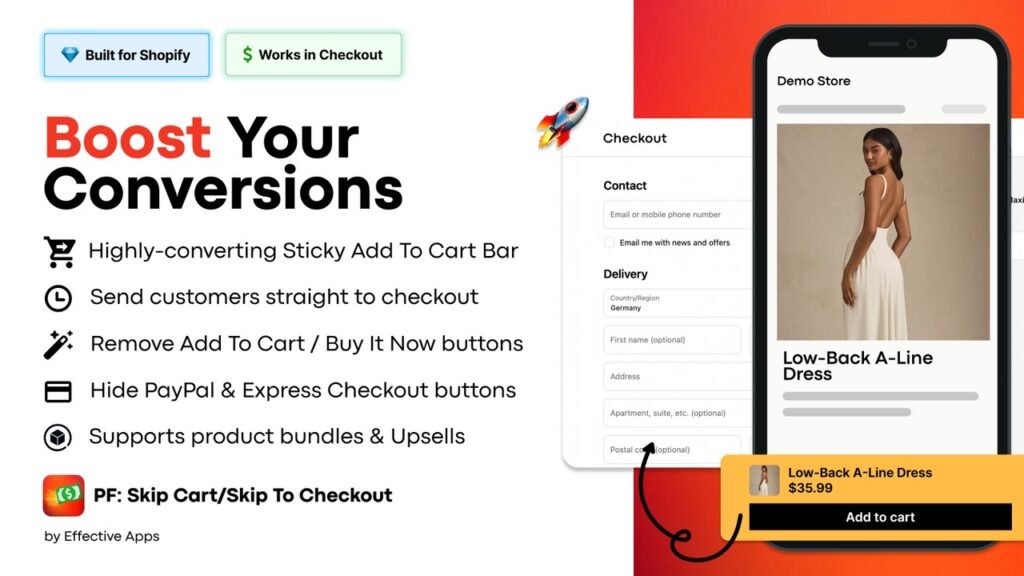
10. PF Skip To Checkout: straight from product page to payment
PF: Skip To Checkout/Skip Cart, from Effective Apps, keeps a sticky add to cart bar in view and can skip the cart page, sending shoppers straight to checkout. The app is free and carries the Built for Shopify badge.
Best for: single-product stores and flash sales, where the cart page is one step too many.
What it does well: a sticky add to cart button that inherits your theme’s fonts and colors, instant checkout, a sticky promo bar, and the option to hide payment buttons such as PayPal and Apple Pay.
Price: free.
Skip it if: your cart page does real work, such as upsells or a free shipping bar. Skipping it would remove them.
Before BFCM: test the full path on your phone with a discount applied, so you know the offer survives the skipped cart.
If Shop Pay is not an option for your store, one-click checkout apps give shoppers the same quick, saved-details payment. On bigger baskets, buy now, pay later apps let them split the cost instead of leaving to think it over. Sale weekends also bring in plenty of first-time visitors, and trust badges near the buy button help them feel safe paying.
Shopify apps for the orders after Cyber Monday
More orders mean more questions, more “where is my order” messages and more returns. Set these up before the sale, because that is when you will have no time to do it.
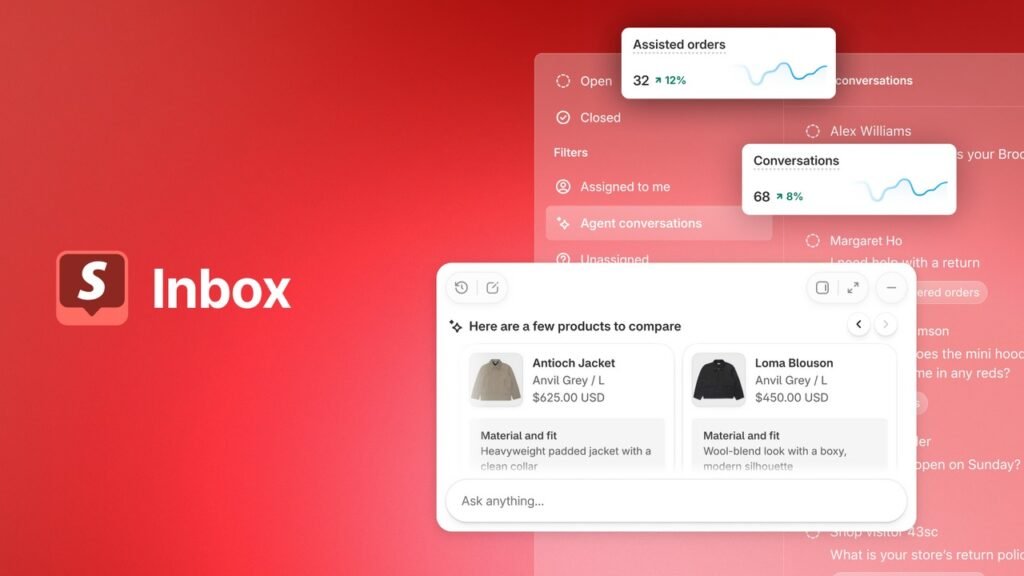
11. Shopify Inbox: free chat with an AI sales associate
Shopify Inbox is Shopify’s free chat tool. It puts an AI-powered sales associate on your storefront that answers shopper questions and helps them find products from your catalog. You can also run Inbox without the agent.
Best for: small teams that cannot answer every chat themselves during the sale.
What it does well: it connects to your catalog, inventory and policies automatically, lets you set the agent’s tone, style and rules, and reports on orders assisted and buyer satisfaction.
Price: free.
Skip it if: you need a full helpdesk with ticketing across many channels.
Before BFCM: update your shipping and returns policies, because the agent learns from them. Then ask it the questions your shoppers ask most and rate the answers to train it.
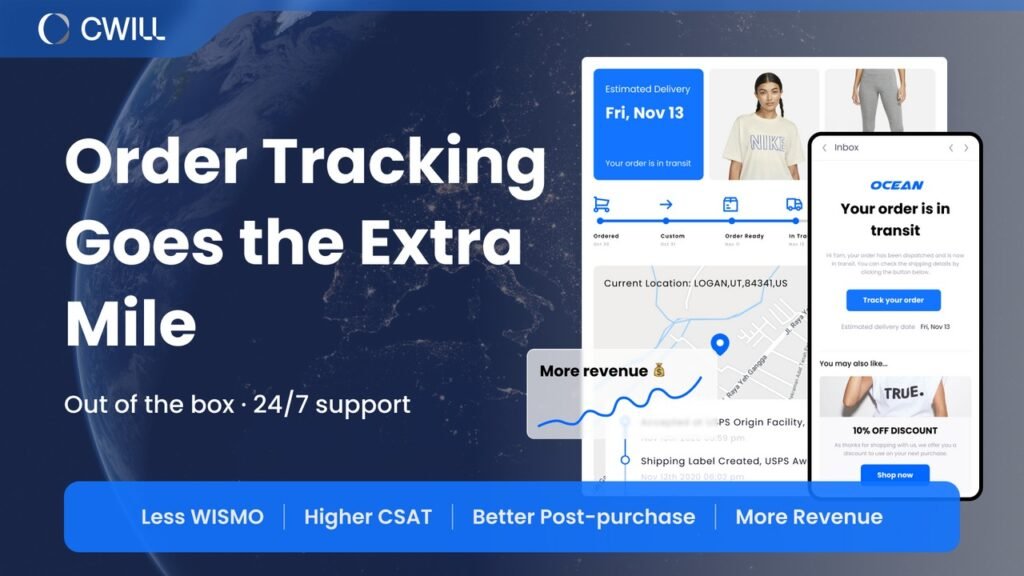
12. CWILL Order Tracking: answers to “where is my order”
CWILL Order Tracking tracks orders in real time and gives shoppers a branded tracking page on your own domain. It flags shipping exceptions and stalled shipments, so you see a problem before the customer complains. The app carries the Built for Shopify badge.
Best for: stores that expect a jump in orders and do not want a jump in support emails.
What it does well: tracking across more than 1,600 carriers, a branded and localized tracking page, and a shipment dashboard. Paid plans add automatic shipping notifications.
Price: the free plan includes 20 orders a month. Essential is $11/month for 200 orders. Professional is $59/month for 2,000 orders. Enterprise is $479/month for 25,000 orders. Extra orders cost $0.05 each, and paid plans have a 7-day free trial.
Skip it if: you ship very few orders and answer tracking questions by hand.
Before BFCM: pick the plan that fits your expected order count, and add the tracking page link to your shipping confirmation email.
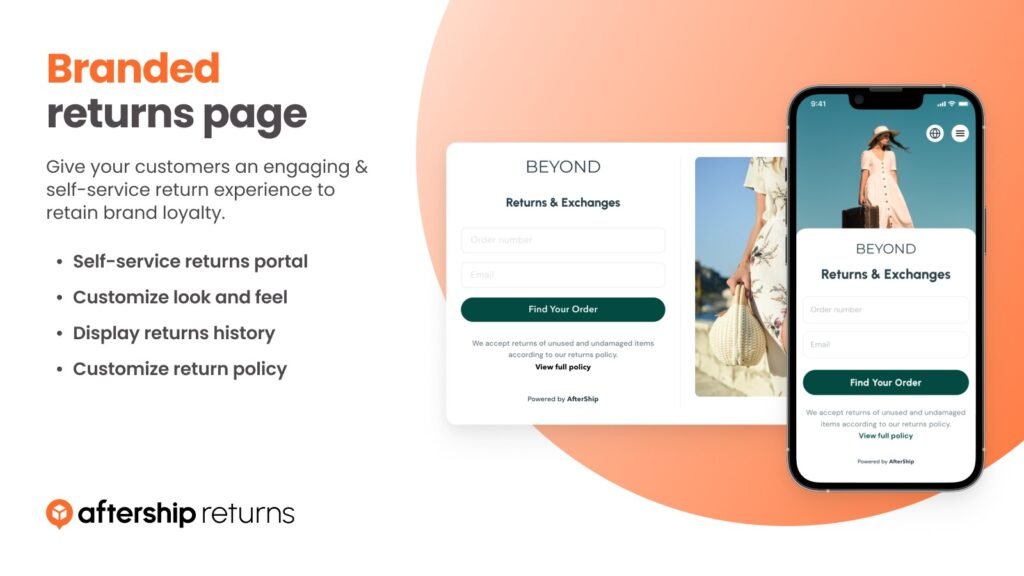
13. AfterShip Returns & Exchanges: a returns page for the weeks after
AfterShip Returns & Exchanges gives shoppers a branded returns page and automates the steps behind it, with return rules, labels and exchange offers. The app carries the Built for Shopify badge.
Best for: stores in categories where returns are common, such as clothing and shoes.
What it does well: automatic return approval, refunds and exchanges, eligibility rules and return analytics.
Price: the free plan works on shopper-funded returns with a revenue share. Essentials is $19/month and includes 20 returns a month, then $0.50 for each extra return. Premium is $119/month and includes 100 returns a month, then $1 for each extra. Paid plans have a 7-day free trial.
Skip it if: you rarely get returns and handle them by email.
Before BFCM: publish your holiday return window and set your eligibility rules, so sale orders follow them from the first day.
A first-time buyer who had a smooth order is easier to bring back. If you sell products that get used up, plan now for turning holiday buyers into subscribers, and consider gift subscriptions for shoppers who are buying presents.
Shopify apps to increase traffic for Black Friday
Getting shoppers to the store is a separate job. Shopify email marketing apps, SMS apps, review apps and loyalty apps each do part of it, and we compare the best Shopify marketing apps for each channel separately.
Black Friday prep timeline
Start now. Each step below needs time to test, and none of them should be left to Black Friday week.
| When | What to do |
|---|---|
| October 12 to 18 | Compress your images. Confirm backups are running. Count stock on your sale items and turn on restock alerts. |
| October 19 to November 1 | Build your discounts and bundles and test them at checkout. Set up upsells. |
| November 2 to 15 | Turn on abandoned checkout emails. Set up order tracking and your returns page. Train the chat agent. |
| November 16 to 22 | Test timers, discounts and checkout on your phone. Stop installing new apps. |
| November 23 to 26 | Take a fresh backup. Schedule your countdown timers and offers. |
| November 27 to 30 | Run the sale. Watch stock, answer chats fast and fix problems the same day. |
| From December 1 | Handle returns and exchanges. Offer a subscription on products buyers will reorder. |
BFCM is one weekend in a long quarter. Build it into your wider Q4 sales strategy, so December does not catch you unprepared.
How to choose Shopify apps for BFCM
Three rules keep the stack small.
Install for a problem, not a category – If your checkout already converts well, leave it alone and fix the page that does not.
Test weeks ahead – Install nothing new in the last week. A new app is one more thing that can break.
Price it for November – Free plans end at an order, view or notification limit, and BFCM is when you are most likely to reach it.
FAQs about Shopify apps for BFCM
What are the best Shopify apps for Black Friday and Cyber Monday?
The best Shopify apps for Black Friday and Cyber Monday by job are Tiny SEO Speed Image Optimizer for speed, Rewind Backups for backups, Kite and Bundler for discounts, Essential Countdown Timer Bar for urgency, Selleasy for upsells, Shop Pay for checkout, Shopify Inbox for chat and CWILL Order Tracking for order tracking.
What is BFCM, and when is BFCM 2026?
BFCM stands for Black Friday Cyber Monday. BFCM 2026 runs from Black Friday on November 27, 2026 to Cyber Monday on November 30, 2026.
What is the best discount app for Black Friday on Shopify?
Start with Shopify’s built-in discounts, which handle amount off, buy X get Y and free shipping offers. Bundler adds bundles and volume discounts on a free plan with no order limit. Kite adds free gifts with purchase and is free for the first 50 discount orders a month.
Do free Shopify apps work for BFCM?
Yes. Shop Pay, Shopify Inbox and PF: Skip To Checkout/Skip Cart are free, and Bundler’s free plan has no order limit. Other free plans have limits you can pass during a sale: 1,000 timer views a month on Essential Countdown Timer Bar, 50 orders a month on Selleasy and 20 orders a month on CWILL Order Tracking.
Which Shopify apps speed up checkout on Black Friday?
Shop Pay is the place to start. It is free with Shopify Payments and lets returning shoppers use saved checkout details. PF: Skip To Checkout/Skip Cart is also free and sends shoppers from the product page straight to checkout.
BFCM brings a surge of one-time buyers, and most of them never come back. The stores that win in January are the ones that offer a subscription on the products shoppers reorder before the sale ends. Driftcharge makes that easy on Shopify, with flexible billing, a smooth checkout and churn prevention built in.

Ganesh Pawar


Join the waitlist now
Limited early access. Early joiners receive additional discounts on premium features.
Discover how


You may also like
September 24, 2026
5 Best One-Click Checkout Apps for Shopify (2026)