8 Best Shopify Trust Badge Apps to Boost Conversions in 2026
- Updated: April 10, 2026
Table of Contents
A shopper buying a one-time product needs to trust you once. A shopper committing to a subscription needs to trust you every single month, starting before they even click Subscribe.
That changes how trust badges should work on your store, and where they actually matter most.
Most merchants treat trust badges as a cosmetic layer. Drop a few icons near the checkout button, call it done. But the stores that consistently convert, especially on subscription products, are deliberate about which badges they use, where they place them, and what specific hesitation each one is built to dissolve.
What follows covers the 8 best Shopify trust badge apps in 2026, the placement strategy that actually moves conversion metrics, and a section on how trust signals work differently for subscription merchants that most trust badge content never addresses.
What Are Trust Badges and Why They Work
Trust badges are small visual signals, icons, seals, or guarantee statements that tell a shopper your store is safe, legitimate, and worth buying from.
They work because of one consistent psychological dynamic: hesitation peaks right before a purchase decision. Shoppers second-guess themselves at the Add to Cart button, at checkout, and anywhere they have to enter payment details. A well-placed badge interrupts that hesitation with a signal they already recognise, and recognition is what makes it work. A badge from a payment provider that a shopper uses every day carries instant credibility. A guarantee they have seen honoured elsewhere carries instant reassurance.
For merchants, that moment of reassurance has a direct commercial consequence. It affects your checkout conversion rate, the percentage of shoppers who begin checkout and actually complete it. Improving that number by even a small margin compounds across every campaign you run, every ad you spend on, and every subscriber you acquire.
The distinction worth understanding early is this: trust badges do not create desire for your product. They remove the friction that stops a buyer who already wants it from finishing the purchase. That is the job. Everything about placement, type selection, and badge language follows from it.
The 4 Types of Trust Badges and What Each One Does
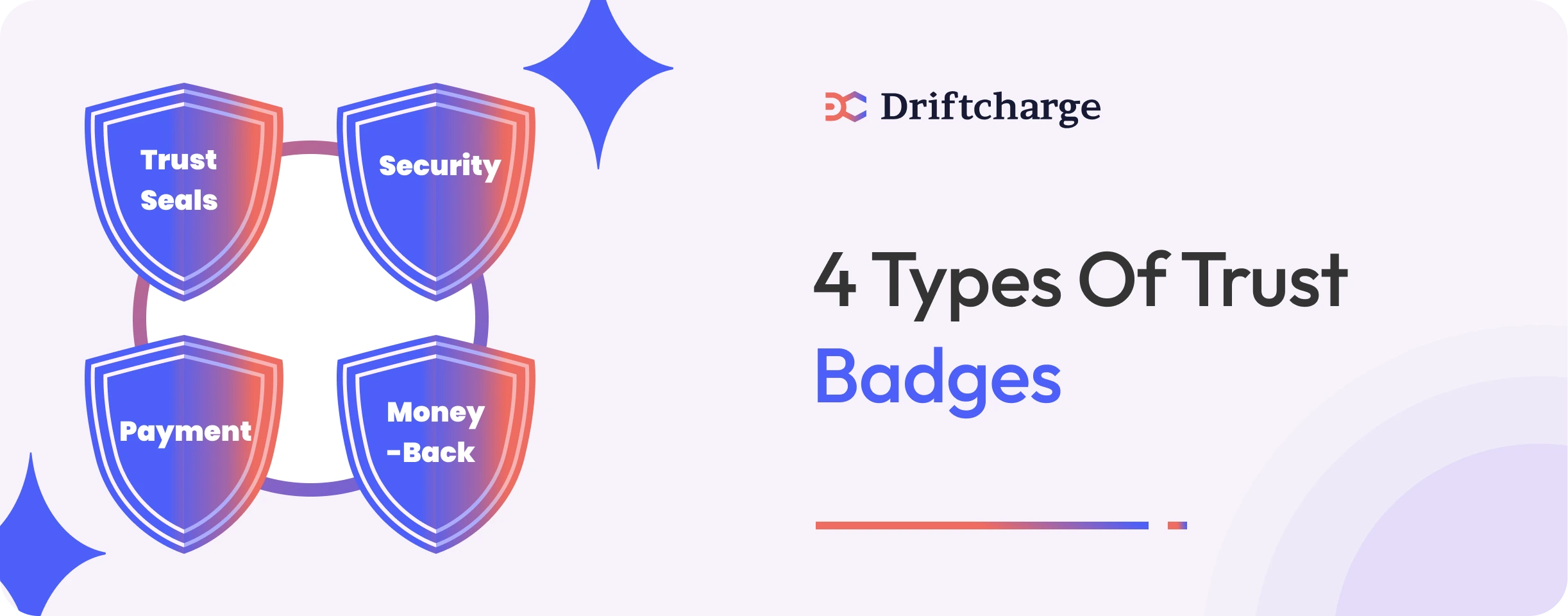
Not all badges serve the same purpose. Using the wrong type in the wrong place is one of the most common reasons trust badge strategies underperform. Understanding what each type is built to do makes placement decisions straightforward.
Security badges – SSL Secure, McAfee, and Norton tell shoppers their data and payment details are protected. They are most effective at checkout, specifically near form fields where data-security hesitation is highest.
Payment badges -Visa, Mastercard, PayPal, and Shop Pay build familiarity rather than safety. When a shopper sees a payment method they already use, the store feels known rather than unknown. These perform best on cart pages and near the checkout button.
Guarantee badges – 30-Day Money-Back, Free Returns, and Satisfaction Guaranteed reduce the perceived risk of committing to a purchase. For subscription products specifically, guarantee badge language carries extra weight because the shopper is committing to a recurring charge, not a single transaction. More on this in the subscription section.
Verification seals – Third-party trust marks from review platforms or security certifiers that add an external layer of credibility your own branding cannot provide. Most effective for first-time visitors who have no prior reason to trust your store.
When these four types work together across the right pages, they cover every major form of purchase hesitation a shopper might experience from the product page through to the completed order.
Do Trust Badges Actually Increase Shopify Sales
Yes, but the mechanism matters more than the answer.
Badges do not create purchase intent. A shopper who has no interest in your product will not be converted by a security seal. What badges do is remove the friction standing between a shopper who already wants to buy and the completed order. That distinction matters because it tells you where to focus: not on adding more badges, but on identifying the specific hesitation your shoppers experience and placing the right badge at that exact moment.
Cart abandonment is highest at the payment step. This is where shoppers are asked to enter card details, commit to a delivery address, and finalise a spend. A well-placed security or payment badge at that stage interrupts the doubt with a familiar, reassuring signal, producing a measurable improvement in your cart abandonment rate.
For subscription merchants, the dynamic is more complicated. When a shopper subscribes, they are agreeing to be charged again next month without taking any further action. A coffee brand offering a subscribe-and-save option has to earn more trust at checkout than the same brand selling a single bag. The shopper is not just asking whether the store is safe. They are asking whether they trust the brand enough to allow a recurring charge.
That question changes which badges matter most and where they need to sit on the page, which the subscription section covers in full.
Where to Place Trust Badges for Maximum Impact
Placement is about timing. Showing reassurance at the exact moment a shopper is about to hesitate is what makes a badge work. The same badge in the wrong position goes unnoticed entirely.
Product pages – This is your highest-leverage placement. Shoppers here are in decision mode, actively weighing whether to commit. Place trust badges near the price or directly below the Add to Cart button. For subscription products, place a Cancel Anytime or Easy to Pause badge in this exact position. The recurring commitment concern surfaces here before the shopper even reaches the cart, and addressing it at this stage prevents drop-off that no checkout badge can recover.
Cart page – Shoppers at the cart stage are often reconsidering. They have added the product but have not yet committed payment details. Displaying payment method logos alongside a short Secure Payment label reduces last-minute doubt without cluttering the page. One clean row of payment icons is enough.
Checkout page – Your final trust checkpoint. Show an SSL Secure Checkout badge near form fields at the point where payment details are entered. Shopify Plus merchants can place custom badge blocks directly inside the checkout flow using Checkout Extensibility. Non-Plus stores can achieve a comparable effect on the order confirmation page. Keep placement minimal here, one or two badges maximum.
Footer – Maintains brand-level trust across every page without competing with conversion elements. Verified Business seals or accepted payment icons here do not drive conversion directly, but support the overall credibility that makes every other page work harder.
How Trust Badges Work Differently for Subscription Stores
This is the angle most trust badge content never covers, and it matters most if you are running or building a subscription programme on Shopify.
A one-time buyer makes a single purchase decision, and the transaction is complete. A subscriber makes a decision that will keep charging their card repeatedly until they actively cancel. That difference changes the psychology of the checkout moment entirely and changes what trust signals need to accomplish on your product page.
For a one-time buyer, the primary concern at checkout is whether the store is safe, whether payment information is protected, and whether the product will actually arrive. Security badges and payment logos answer those concerns directly, and for most one-time purchase stores, that coverage is enough.
For a subscription shopper, those concerns exist too, but underneath them sits a more powerful question: what happens if I want to stop? Shoppers who cannot find a clear answer to that from what they can see on the page will either avoid subscribing altogether or subscribe with low confidence, making early cancellation far more likely. A security badge does not answer that question. A flexibility signal does.
Flexibility signals are commitment statements written specifically for recurring purchase contexts. Phrases like Cancel Anytime, Easy to Pause, Skip a Delivery, or No Lock-In tell a shopper the exit is straightforward. These are not admissions of weakness. They are conversion levers. The perceived risk of being trapped in a recurring charge is one of the most consistent barriers to first-order subscription conversion, and a well-placed flexibility badge removes that barrier more reliably than a discount offer does.
Most merchants treat customer retention as something that begins after the first order ships. It does not. Retention begins at the moment a subscriber decides to commit, and the quality of that decision determines how long they stay. A subscriber who felt uncertain at checkout is far more likely to cancel within the first 90 days. This is the window where the majority of subscription churn happens, and most of it is seeded long before the cancel button is ever clicked.
For subscription product pages, trust badge selection and placement is not just a conversion tactic. It is the opening move of your retention strategy. Use the churn rate calculator to understand what even a modest improvement in first-order subscription conversion is worth across your subscriber base over time. The compounding effect on monthly recurring revenue begins with what a shopper sees next to the Subscribe button.
How to Choose the Right Trust Badges for Your Store
The best badge for your store is the one that directly addresses what your specific customers are most uncertain about. Most merchants skip this step entirely, defaulting to whatever the app installs by default and placing it wherever the template suggests. The result is a trust layer that appears complete but does not address the hesitation their particular audience feels.
The starting point is a single question: what is the most common reason a shopper on your product page might decide not to buy?
For supplements and health brands, the dominant concern is efficacy and returns. A strong money-back guarantee badge does more work than an SSL seal because it directly addresses the fear driving hesitation.
For skincare subscription brands, first-time buyers worry about whether the product will suit their skin. A trial or satisfaction guarantee badge reduces that risk perception in a way that a payment logo cannot.
For pet food subscription brands, the concern is delivery reliability and flexibility. A badge communicating easy skipping or pausing speaks to that concern precisely, where a security seal does not register as relevant.
For coffee subscription brands, the hesitation is usually about variety and lock-in. Flexibility language paired with a satisfaction guarantee covers both concerns in a way that generic payment badges cannot.
Match the badge to the objection. For customer retention to grow over time, you need shoppers who feel confident enough to subscribe and stay. Badges are the first signal in that chain.
8 Best Shopify Trust Badge Apps in 2026
Choosing a trust badge app comes down to what you are trying to accomplish. Building general credibility, highlighting payment security, keeping your design minimal, or combining trust signals with urgency elements are all different goals, and different apps serve each one better than others. Here is a breakdown of the strongest options across each use case in 2026.
All-in-One Apps That Build Trust and Drive Conversions
1. Avada Boost Sales Trust Badges
Avada is the strongest all-in-one option for merchants who want trust badges, real-time purchase notifications, and urgency elements in a single dashboard. It is free, has over 1,500 reviews with a 5.0 rating on the Shopify App Store, and requires no code to add badges across product pages, cart pages, and footers.
2. Conversion Bear Trust Badges
Conversion Bear offers over 300 ready-to-use badges that load in under 30kb and can be placed on any page without coding. It has a strong free tier, supports different badge sizing for desktop and mobile, and adds new designs on merchant request. The most reliable free starting point for professional trust signals.
Apps That Highlight Secure Payments and Checkout Safety
3. SEOWILL Trust Badges and Icon (formerly SEOAnt)
SEOWILL covers verified payment badges, SSL checkout seals, and shipping guarantees with a one-click selection and placement system. It has zero impact on page load speed, supports full mobile and desktop preview before publishing, and the support team assists with custom coding at no extra charge.
4. ShopClimb Trust Badges
ShopClimb automatically displays geolocation-aware payment logos based on where the visitor is browsing from. For Shopify Plus merchants, it also supports direct checkout page badge integration. It has over 1,000 reviews and plans available from $2.89 per month.
Simple, Customisable Apps for Clean Store Design
5. Essential Trust Badges and Icons
Essential Trust Badges lets you add guarantee badges, payment icons, and security seals across any page without affecting store speed. It supports custom icon uploads and flexible placement, making it a good fit for subscription product pages where the layout needs to stay focused around the Subscribe button.
6. Iconito Trust Badges and Icons
Iconito gives merchants access to over 1,000 badge and icon options with colour customisation, font control, and placement across product pages, cart, footer, and custom pages. For brands where design consistency matters as much as the trust signal itself, it provides more creative control than most alternatives.
Verified Security Apps for High-Value or Luxury Stores
7. TrustedSite (formerly McAfee SECURE)
TrustedSite provides earned third-party security certification rather than a static badge image, scanning your site for vulnerabilities and verifying business contact information before issuing the seal. A/B testing has shown it outperforms generic badges in conversion lift with documented increases above 4%. Pricing starts free for stores with up to 500 monthly visits, with paid plans from $39 per month.
Apps That Blend Trust with Urgency
8. Hextom Free Shipping Bar and Trust Badges
Hextom combines trust callouts with shipping bar notifications and promotional messaging. Free Shipping and Secure Checkout signals sit alongside dynamic bar content, making it effective during subscription launch promotions or subscribe-and-save campaigns where both confidence and urgency contribute to the conversion decision.
Each app removes the need for custom design or development to get professional trust signals live. Start with the app that matches your primary conversion problem, test placement on your actual product pages, and adjust based on what the metrics show.
How to Add Trust Badges to Your Shopify Store
There are three ways to add trust badges to your Shopify store, and the right method depends on your plan and how much control you need over placement.
The simplest method works on every Shopify plan. Most trust badge apps offer drag-and-drop blocks inside the Shopify theme editor. Open Online Store, go to Customize, select the page you want to edit, and add a trust badge section or app block from the sidebar. No Liquid file editing is needed, and changes are previewed live before you publish. For most merchants, this is the only method they will ever need.
If you are on Shopify Plus, Checkout Extensibility lets you place custom badge blocks directly on the information, shipping, and payment steps inside the native checkout flow. Keep placement minimal. One security badge near the payment field is enough. Anything more risks distracting a shopper who is seconds away from completing the order.
The third method is manual code placement using Liquid snippets. This gives you precise control over exactly where a badge appears, useful when app block positioning does not place the badge close enough to the Subscribe or Add to Cart button. SVG is the better format in every case. SVG files scale perfectly across all screen sizes, load faster than raster images, and are readable by screen reader software.
Once your badges are live, check every placement on a real mobile device before calling it done. Trust badges frequently wrap, resize, or shift position on mobile in ways the desktop preview does not show. A badge that sits cleanly below the Subscribe button on desktop can appear several scrolls away from it on a small screen, removing the trust signal from the decision moment entirely.
How to Measure Whether Your Trust Badges Are Working
Adding trust badges without tracking their impact is guesswork. The goal is to measure specific metrics before and after placement, isolate what changed, and make decisions based on what the numbers show.
Your primary metric is checkout conversion rate, the percentage of shoppers who begin checkout and complete it. If badges are working, you will see the gap between sessions that reach checkout and sessions that result in a completed order narrow over time.
Cart abandonment rate is your secondary signal, and it is worth tracking at the payment step specifically rather than across the entire cart journey. A reduction in abandonment at the point where payment details are entered gives you cleaner attribution than aggregate cart abandonment data does.
Average order value and repeat purchase rate are slower metrics but more meaningful over time. Shoppers who feel genuinely confident in a store tend to buy more per order and return more often.
For subscription brands, the most important metric is subscriber retention rate at 60 and 90 days. This is where conversion rate optimisation compounds into retention value. A subscriber who converted with full confidence at checkout is more likely to stay through the early billing cycles, where most cancellations happen. Use the customer lifetime value calculator to model what a sustained improvement in that retention rate is worth to your monthly recurring revenue over a 12-month subscriber lifespan.
Run A/B tests on badge placement rather than just badge presence. Most trust badge apps include built-in analytics. Use them to gather enough data before concluding, and change one variable at a time so you know what is driving any movement you see.
Common Mistakes That Undermine Trust Instead of Building It
The most common trust badge errors are not about which app you use. They are about how badges are deployed once they are live.
Displaying badges you have not earned is the most damaging mistake a merchant can make. Showing a security seal from an organisation that your store is not verified with destroys credibility the moment a shopper checks. Only display seals and certifications you can legitimately claim.
Over-badging works against trust in a subtle way. A product page covered in seven or eight different trust icons looks unconfident rather than secure. Pick two or three badges that address the specific hesitation your customers experience most and let them do the work without competition from six others.
Using outdated payment logos is a smaller but visible error. Old versions of Visa, Mastercard, or PayPal logos signal a store that has not been maintained. Always use the current official assets available directly from each payment provider’s brand resource pages.
Relying on badges to do work that policy clarity should do is a mistake subscription merchants make more than others. A Cancel Anytime badge sets an expectation. If the actual cancellation process on your store is difficult or buried, the badge makes things worse by creating a promise the experience does not honour.
Forgetting what Shopify already provides leads merchants to add redundant elements that clutter the page without adding value. Shopify includes SSL secure checkout and Level 1 PCI DSS compliance on every plan. Focus your badge strategy on guarantee signals, flexible language for subscription products, and payment familiarity. These are the areas where badges add something Shopify does not already provide by default.
What Trust Badges Set Up and What Comes Next
Trust badges earn the first order. That is their job, and when placed correctly with the right language for your specific audience, they do it well. For one-time purchase stores, that is largely where the trust badge conversation ends.
For subscription merchants, it is where it begins.
The first order is not the destination. It is the starting point of a recurring relationship that either compounds in value over time or collapses within the first 90 days. A subscriber who converted with full confidence at checkout, who saw a clear cancellation policy, a satisfaction guarantee, and a payment method they recognised, is better positioned to stay than one who converted hesitantly and immediately began second-guessing the commitment.
But trust badges cannot follow a subscriber past the checkout page. Once the first order is placed, the signals that determine whether that subscriber stays are no longer visible. They are experiential. How the product arrives. How the brand communicates between orders. Whether the subscriber feels like a valued customer or a billing entry. And critically, whether the merchant can identify early signs of disengagement before a subscriber reaches the cancel button.
This is the gap that sits between conversion and retention, and it is where most subscription revenue is lost. Merchants invest in trust signals at checkout, convert a subscriber, and then have no visibility into what happens next until a cancellation notification arrives. By that point, the subscriber is already gone.
FAQs About Shopify Trust Badges
What are the 4 types of trust badges for Shopify?
Security badges like SSL Secure protect payment data and work best at checkout. Payment badges like Visa and PayPal build familiarity on cart pages. Guarantee badges like 30-Day Money-Back reduce purchase risk on product pages. Verification seals from third-party certifiers add external credibility for first-time visitors. Each type addresses a different hesitation, and placing them together across the right pages covers the full trust journey from product page to completed order.
How do I add trust badges to Shopify checkout?
Shopify Plus merchants can add badge blocks directly inside the checkout flow using Checkout Extensibility. Non-Plus stores can place badges on product pages, the cart drawer, and the order confirmation page to cover the same trust journey without Plus access. For most stores, product page and cart placement drive the majority of conversion impact anyway.
Do trust badges actually reduce cart abandonment?
Yes, specifically at the payment step where the majority of cart abandonment happens. Badges work by removing hesitation at the exact moment a shopper is about to enter payment details. The effect is strongest when the badge directly addresses your specific audience’s concern, a money-back guarantee for supplement buyers, flexibility language for subscription shoppers, rather than a generic security seal.
What is the best free trust badge app for Shopify?
Conversion Bear and Avada Boost Sales are the strongest free options. Both offer professional-quality badge libraries, zero-code placement, and no hidden costs. Conversion Bear has over 300 ready-to-use designs that load under 30kb. Avada combines trust badges with urgency elements like real-time purchase notifications in a single free dashboard.
Do trust badges increase Shopify sales?
Yes, but not by creating purchase intent. Trust badges remove the friction standing between a shopper who already wants to buy and the completed order. The conversion lift is most measurable at the payment step, where hesitation peaks. For subscription brands, the right badge can also improve 90-day retention by ensuring the first-order decision is made with full confidence rather than residual doubt about recurring charges.
You’ve optimised your store for conversions. Now build revenue that comes back every month, without running another ad. Driftcharge is a Shopify subscription app built for DTC brands ready to grow predictable recurring revenue. Flexible plans, a self-serve subscriber portal, and built-in retention tools, all native to Shopify.

Ganesh Pawar

Join the waitlist now
Limited early access. Early joiners receive additional discounts on premium features.
Discover how